CassidaPRO Zeus: Service Manual
2018 Cassida Corporation. All rights reserved.
Rev: 09/05/2018
cassidapro.com/partner/
DUST COVER HOOK REPLACEMENT
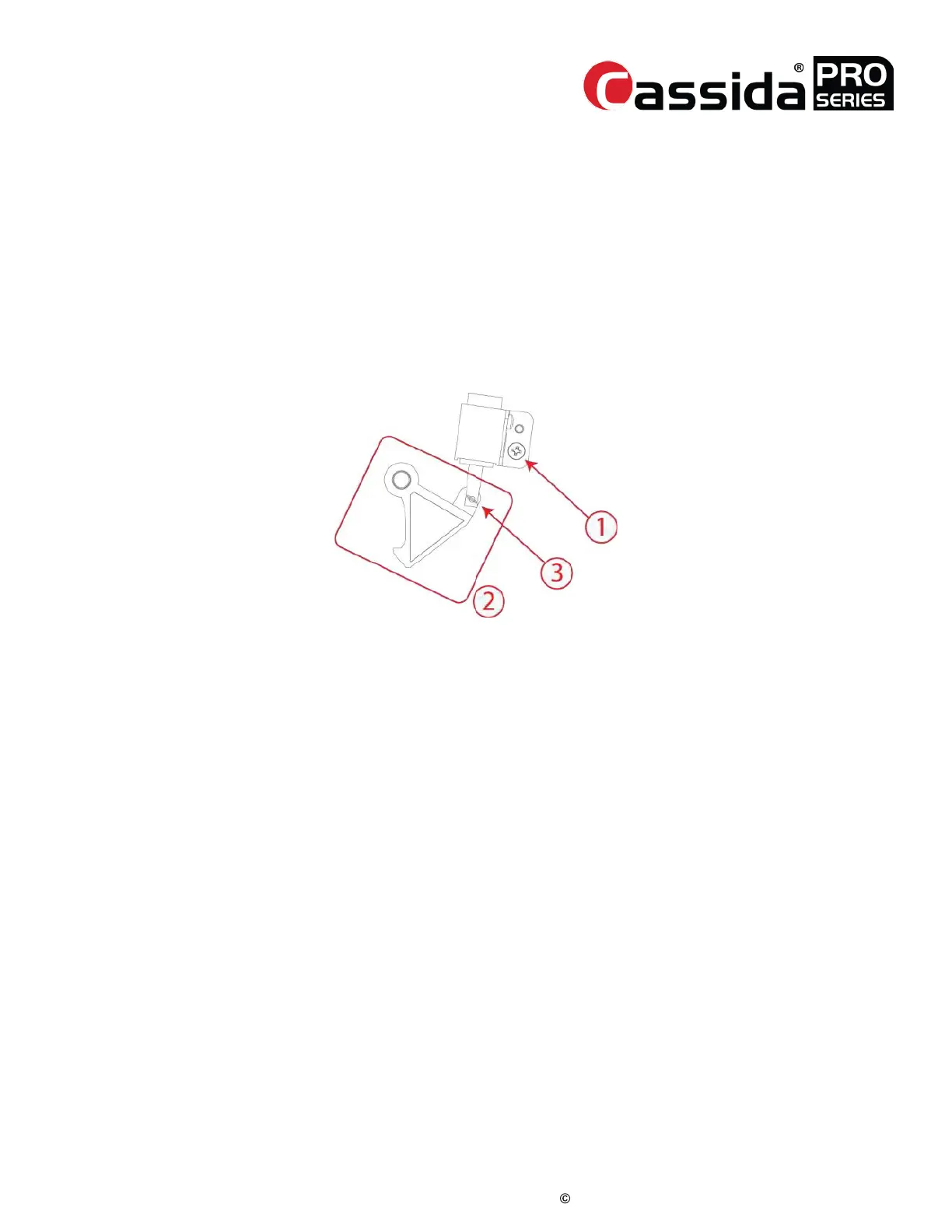
1. Turn the power off and remove right side cover.
2. Loosen screw (1).
3. Remove pin (3).
4. Remove hook (2) and replace module from the hook shaft.
5. Re-install the pin (3). Check the movement of the two parts. The hook should move
freely.
6. Tighten the screw (1)
7. Turn on the power and go into Service Menu ->[1] Diagnosis ->[7] Sensor Detail.
You can close the dust cover by pressing [9] key. If necessary, adjust the tension
[3.2 .Dust Cover Tension Adjustment]
3.3.



 To Next Page