STOPPING CHILLING OR FREEZING CYCLES
To interrupt a cycle at any time press P4 for 3 seconds. The Chiller will automatically switch to OFF
mode and the wording “OFF” will come up on both displays, D1 and D2 , and Led L4 will light
up. To switch to “ON” mode press P4 and Led L4 will go out.
MANUAL MODE
It is also possible to select manual mode. Scroll the list of products until “Man” and then press P3
to confirm. Using P1 and P2 select the time (1 to 250 minutes) which will come up on display D2
, display D1 is off. Led 3 will flash. Press P3 to confirm timing and escape from the pro-
gram. At this point it is possible to activate chilling or freezing.
ALARMS
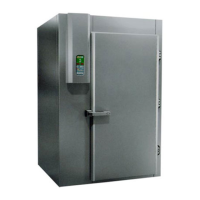
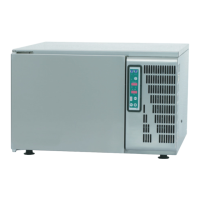
The Chiller is provided with an alarm system for indicating malfunctions. This system consists of an inter-
mittent acoustic signal and a red flashing Led, L1. Depending on the type of malfunction the following
wording will come up on displays D1 and D2 :
• ALL por = door alarm. This alarm is activated if for some reason the Chiller door is acci-
dentally opened when the Chiller is working. After two seconds the fans stop and after ten
the compressor stops working. When the door is closed the Chiller returns to the cycle pre-
viously interrupted.
• All Son = ambient probe alarm. This is activated if there is a malfunction with the internal
probe.
• ALL cPr = compressor alarm. This alarm is activated if the “clicson” is activated more then
five times. The compressor automatically switches into OFF mode. To reset this alarm con-
dition press P4 .


 To Next Page