Castles Technology Co., Ltd. Confidential • All Right Reserved. Pg. 63
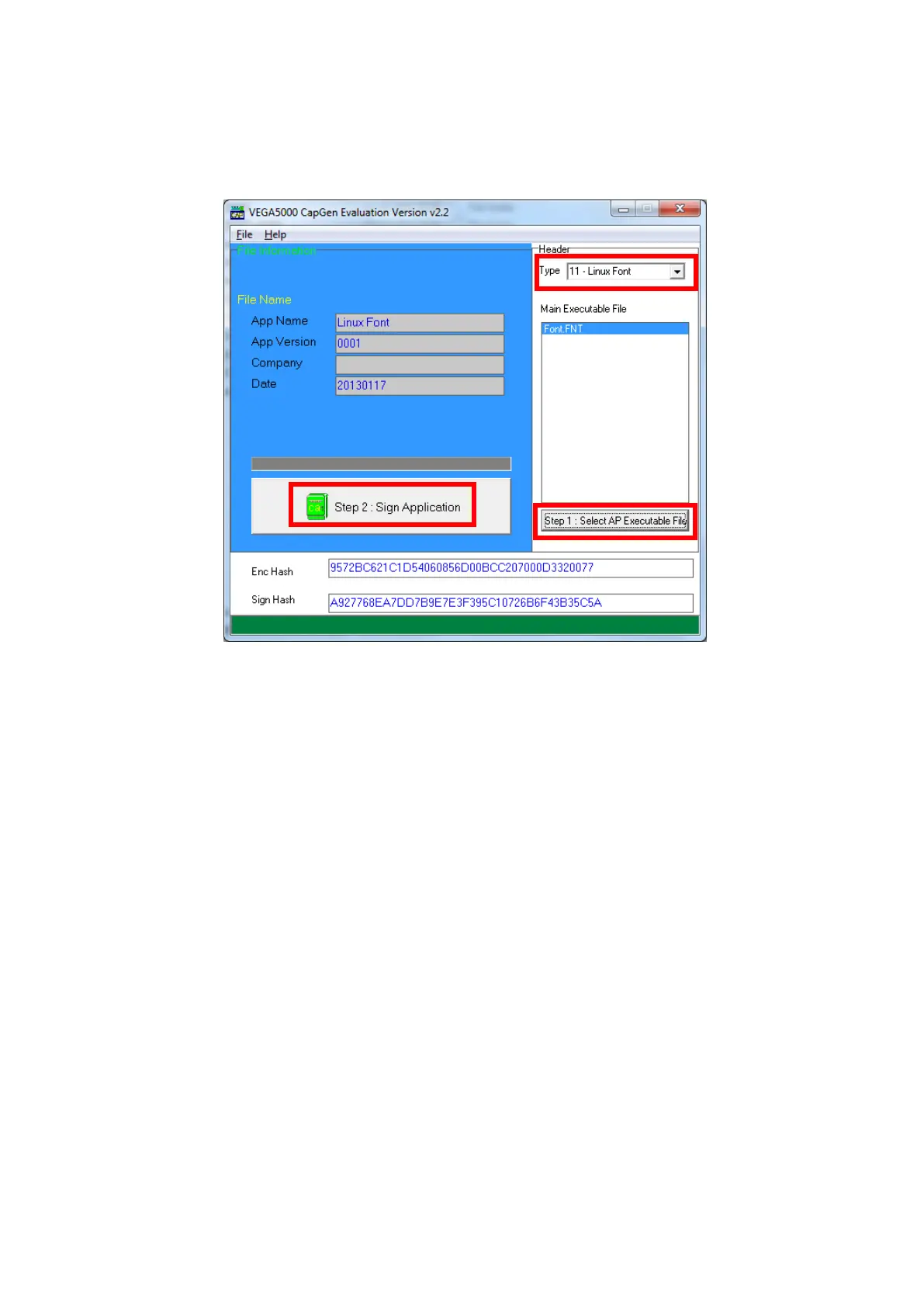
Use CAP Generator to convert the FNT file to CAP.
Set type to [11 – Linux Font], press [Step 1] button select the FNT file. Then
press [Step 2] to generate CAP file.
Download the font CAP file to UPT1000F.
In the application, add following code to display message using the newly
created font.
CTOS_LanguageConfig(0xA000,d_FONT_12x24,0,d_FALSE);
CTOS_LanguageLCDSelectASCII(0xA000);
CTOS_LCDTPrintXY(1, 1, "ABCDEFGH");
Or print message using the newly created font.
CTOS_LanguagePrinterSelectASCII(0xA000);
CTOS_PrinterPutString("ABCDEFGH");



 To Next Page