EasyManua.ls Logo

CAT MATE Elite 355 - User Manual

CAT MATE Elite 355
53 pages
Print Icon
To Next Page IconTo Next Page
Loading...
35522/0621
www.pet-mate.com +44 (0)1932 700 001 N America (936) 760 4333
© PET MATE Ltd · Lyon Road · Hersham · Surrey · KT12 3PU · England
N.America only: Ani Mate · 104A Longview Street · Conroe · Texas 77301
HU
FITTING INSTRUCTIONS
Microchip Cat Flap with Timer Control (Ref. 355)
EINBAUANLEITUNG
Mikrochip Katzenklappe mit Zeitschaltuhr Funktion (Ref. 355)
INSTRUCTIONS DE MONTAGE
Chatière Micropuce avec Fonction de Temporisation (réf. 355)
INSTRUCCIONES DE AJUSTE
Gatera de Microchip Con Control de Tiempo (Ref. 355)
ISTRUZIONI PER IL MONTAGGIO
Gattaiola con microchip e timer (Rif. 355)
MONTAGE INSTRUCTIES
Microchip Kattendeur met Tijdklok Functionering (Ref. 355)
INSTRUKCJA MONTAŻU
Klapka dla kotów z czytnikiem mikrochipów i regulatorem czasowym (ref. 355)
NÁVOD NA MONTÁŽ
Mikročipová Dvířka pro Kočky s Časovým Ovladačem (Ref. 355)
BESZERELÉSI ÚTMUTA
Mikrochipes Macskaajtó Idővezérléssel (Ref. 355)
DE
FR
ES
IT
NL
PL
CZ
Question and Answer IconNeed help?

Do you have a question about the CAT MATE Elite 355 and is the answer not in the manual?

Overview

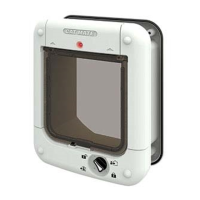
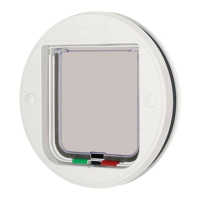
This document describes the Cat Mate Elite Microchip Cat Flap with Timer Control (Ref. 355), a sophisticated pet door designed to manage the entry and exit of up to nine cats. It features microchip recognition, a timer control for exit management, and a 4-way locking system. The device also allows owners to monitor the last entry/exit time and duration of use for up to three individual cats.

Function Description:

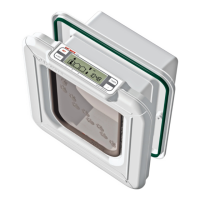
The Cat Mate Elite Microchip Cat Flap operates by recognizing a cat's implanted microchip or a separately available Cat Mate I.D. Disc. This ensures that only authorized pets can enter the home, preventing access by unwanted animals. The flap features a control panel with several buttons and an alphanumeric LCD display.

Key controls include:

  • PROG (PROGRAM) button (1): Used for programming microchips/I.D. Discs and saving settings.
  • Microchip / I.D. Disc search indicator (2): Illuminates during the microchip programming process.
  • Low battery indicator (3): Alerts the user when batteries need replacement.
  • AM/PM indicators (4): For 12-hour clock mode.
  • TIMER function indicator (5): Shows when the timer function is active.
  • TIMER mode Start/Finish indicators (6): Displays the start and finish times for timed access.
  • TIMER button (7): Used to set and check timer functions.
  • 4 WAY button (8): Controls the 4-way locking options.
  • CAT 1 - 3 location symbols (9-11): Indicates the location (in or out) of up to three individual cats.
  • 4 WAY lock indicators (12): Shows the current 4-way lock setting.
  • Alphanumeric display (13): Normally displays the current time, but also shows programming prompts and other information.
  • ADVANCE button (14): Used for adjusting time settings.

The cat flap offers several access options:

  • 'In & Out': Allows cats to enter and exit freely.
  • 'In Only': Allows cats to enter but not exit.
  • 'Out Only': Allows cats to exit but not enter.
  • 'Locked': Prevents cats from using the flap in either direction.

The timer control function allows users to set specific access options for predefined periods, such as keeping cats indoors overnight. The device also includes a "Training Mode" to help hesitant cats get accustomed to using the flap, which temporarily allows access for other animals. A "High Security Mode" can be enabled after training to improve security against raccoons and persistent neighborhood cats, and to extend battery life.

Important Technical Specifications:

  • Battery Type: 4 x AA (R6) alkaline batteries (lithium batteries are explicitly not recommended).
  • Battery Life: Approximately 12 months with good quality alkaline batteries (varies with usage and number of cats).
  • Microchip Compatibility: Compatible with all popular microchips.
  • I.D. Disc Compatibility: Can be operated with a Cat Mate I.D. Disc (available separately).
  • Cat Capacity: Up to 9 individual cats can be programmed.
  • Door/Wall Thickness Compatibility:
    • Wooden Doors: 0-50mm (0-2") thick.
    • UPVC / Metal Doors: 0-50mm (0-2") thick (requires a larger cut-out and re-tuning).
    • Glass Panels: Requires a 232mm (9 1/8") diameter hole cut by a glazier (not suitable for double-glazed or toughened glass).
    • Wall Fitting: Requires Cat Mate Elite Wall Liners (1 liner for every 50mm (2") of wall thickness over 100mm (4")). Rectangular hole: 205mm (8") high by 180mm (7") wide.
  • Recommended Installation Height: Bottom of the aperture approximately 150mm (6") above ground level.

Usage Features:

  • Programming: To program a cat's microchip or I.D. Disc, hold the 'PROG' button for 5 seconds until the search indicator appears. Then, encourage the cat to pass slowly through the tunnel or place the I.D. Disc in the opening. The flap can store up to 9 cat profiles.
  • Access Control: Select desired access options ('In & Out', 'In Only', 'Out Only', 'Locked') using the '4 WAY' button.
  • Timer Control: Set specific 'START' and 'FINISH' times for different access options using the 'TIMER' button. The clock can be set to 12-hour (AM/PM) or 24-hour mode.
  • Cat Location Monitoring: The LCD displays the last known location (in or out) for up to three cats. It also shows how many hours and minutes have passed since each cat last used the flap.
  • Training Mode: Activated by holding 'PROG' and briefly pressing '4 WAY'. This unlocks the flap to help cats adjust but also allows access for other animals.
  • High Security Mode: Can be enabled to enhance security against unwanted animals and prolong battery life. Activated by holding 'PROG' and briefly pressing '+'.
  • Button Operation: Control buttons require a firm press to prevent accidental changes.
  • Auto Timeout: The system times out after 60 seconds of inactivity (except during programming).

Maintenance Features:

  • Battery Replacement: The low battery indicator (3) signals when alkaline batteries need to be replaced. After replacement, the current time needs to be reset, but microchip/I.D. Disc settings and lock times are retained.
  • Factory Reset: A factory reset can be performed by holding the '+' button for approximately 30 seconds until all symbols appear on the LCD. This erases all programmed microchips/I.D. Discs and settings, requiring re-programming.
  • Troubleshooting: The manual provides guidance for common issues such as cats not using the flap, microchip programming failures, flap not opening/closing, and display malfunctions. Solutions include checking microchip positioning, re-tuning for metal doors, verifying lock settings, disabling high security mode, and performing a factory reset.
  • Cleaning: While not explicitly detailed as a maintenance feature, the design implies that the unit can be wiped clean.
  • Regular Inspection: Users are advised to regularly inspect the product for correct operation and damage.

The device complies with essential requirements of EU Directives, and Declarations of Conformity can be viewed on www.pet-mate.com/eudoc. End-of-life products and batteries must be disposed of according to local regulations.

CAT MATE Elite 355 Specifications

General IconGeneral
BrandCAT MATE
ModelElite 355
CategoryPet Care Product
LanguageEnglish

Related product manuals