IMPORTANT SAFETY INSTRUCTIONS
• Readallinstructionsbeforeinstallingorusingthisproduct.
• Registeryourpurchaseon-lineatwww.pet-mate.com
(seeguarantee).
• Donotallowchildrentoplaywiththisproduct.
• Inspectproductregularlyforcorrectoperationand
damage.Donotuseifindoubt.
• Thisproductisdesignedforusewithpetsonly,as
describedintheseinstructions.
• Thelockingsystemofthispetdoorisnotintendedasa
securitydevice.
• Thispetdoorisnotareresistantdoorandmustnotbe
usedwherethereisariskfromrespread.
• Theinstallerofthispetdoorisresponsibleforcomplying
withallrelevantbuildingregulations.
• Duringinstallationofthispetdoortakeappropriate
care.Followsafetyinstructionsforalltoolsandwear
appropriatepersonalprotectiveequipment.
• Disposeofallpackagingmaterialproperly.
NOTE: Plastic bags could cause suocation – keep away
from children and animals.
SAVE THESE INSTRUCTIONS
IMPORTANT:
• Do not cut tunnel (B, Fig. 1) of cat ap.
• To check that your cat’s microchip is correctly positioned
and functioning, we strongly recommend you program
the cat ap for all your cats before installation (see
Section 3). Then check the cat’s operates the catch (C,
Fig. 1) when the cat’s head is pushed gently against the
ap as shown in Fig. 2.
• For UPVC / metal doors thicker than 35mm (1
3
/8”) use a
Cat Mate Cat Flap Adapter Kit (Ref. 361).
• For UPVC / metal doors it is essential to retune the cat
ap after tting (see Section 8).
1. Introduction
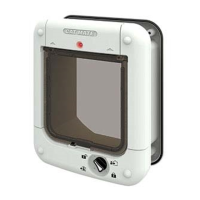
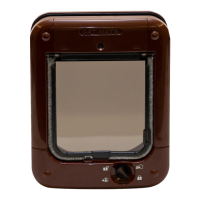
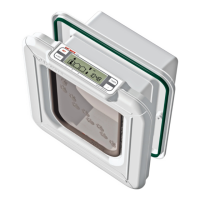
ThankyouforchoosingtheCatMateMicrochipCatFlap.
TheCatMateMicrochipCatFlapallowsentryforupto30cats
intoyourproperty.Italsoallowsyoutocontroltheexitofall
yourpetsusinga4waylock.
Thiscatapissuitableforallpopularmicrochips.Alternatively
itmaybeoperatedbyaCatMateI.D.Disc(available
separately).YoumaywishtouseanI.D.Discforcatswithouta
microchiporintheeventthatyourcat’smicrochipisfaultyor
poorlypositioned.
2. Fitting the Batteries
2.1Removethebatterycoverbypushingthebatterycover
upwards(seeFig.3).
2.2Insert4xAA(R6)batteriesusingtheorientationsymbols
markedontheinsideofthebatterycompartment.Partially
replacebatterycovertoleavePROGRAMbutton(G,Fig.1)
exposedforprogramming.
2.3Thecatapwillselfcheckforupto30secondsandthen
theapisreadytoprogram.
Allpopularbatteriescanbeusedincludingrechargeable
batteries,butthebatterywarning(Section6)willonlywork
correctlywithalkalinebatteries.Goodqualityalkalinebatteries
shouldlastapproximately12months(dependingonnumberof
catsandusage).YouMUSTNOTuselithiumbatteries.
3. Programming
Programyourcat’smicrochiporI.D.Disc(s)asfollows:
3.1PressandholdthePROGRAMbutton(G,Fig.1)for
5secondsuntiltheLED(A)illuminates.Waitaminimumof
10seconds.
3.2Toprogramyourcat’smicrochip,encourageyourcatto
slowlypassthroughthetunnelbyholdingtheapopenas
showninFig.4aftercheckingtherotary4waylock(D)is
settoIN&OUT.ToprogramanI.D.Disc,placeintunnel
openingasshowninFig.5.
3.3Whenprogrammed,theLEDwillash.
3.4Pressthe‘PROGRAM’buttontosavethesetting.
For additional cats, up to a maximum of 30, repeat steps 3.1 to
3.4.
NOTE: If you attempt to program more than 30 microchips /
I.D. Discs, the LED will ash. If this occurs perform a FACTORY
RESET (Section 7) and reprogram microchips / I.D. Discs in
current use.
4. Access Options
Onceyourcat(s)microchip(s)/I.D.Disc(s)areprogrammed,the
accessoptionsavailablewiththerotary4waylockare:
In & Out Yourcat(s)cancomeinandoutoftheap
In Only Yourcat(s)cancomeinthroughtheap
butcannotleavethroughtheap
Out Only Cat(s)cangooutthroughtheapbut
cannotenterthroughtheap
Locked Cat(s)cannotusetheap
5. Training Your Cat to Use the Cat Flap or if Your Cat Has
Lost its I.D. Disc
Itmaytakealittletimeforyourcattogetusedtoitsnewcat
ap.Tohelpyourcatgetusedtoenteringandexitingtheap,
theapcanbesettoTRAININGMODEasfollows:
5.1Removeonebatteryforaminimumof2minutes.
5.2Replacebatteryandwaituntilinteriorlock(C)dropsafter
approximately5seconds.
5.3Removebatterywithin5secondsbeforelockisreactivated
andreplacebatterycover.
Please be aware that in TRAINING MODE your cat ap will
allow access for other animals.
ToexittheTRAININGMODE,simplyreinstallallbatteries.
NOTE: We do NOT recommend that cats, particularly kittens,
are left alone to use their cat ap until you are satised that they
are completely familiar with its operation.
6. Battery Replacement
WhentheLEDashesevery30seconds,alkalinebatteries
shouldbereplaced(SeeSection2).
Pleasenote,afterttingnewbatteriestheBatterywarningmay
takeupto15minutestodisappear.
7. Factory Reset
Toeraseallprogrammedmicrochips/I.D.Discs,pressand
holdthe‘PROGRAM’buttonfor60seconds.Afterafurther
30secondsyoumayre-programmemicrochip(s)/I.D.Disc(s)
(SeeSection3).


 To Next Page
 Loading...