Catch Power GREEN – Installation manual - Page 6
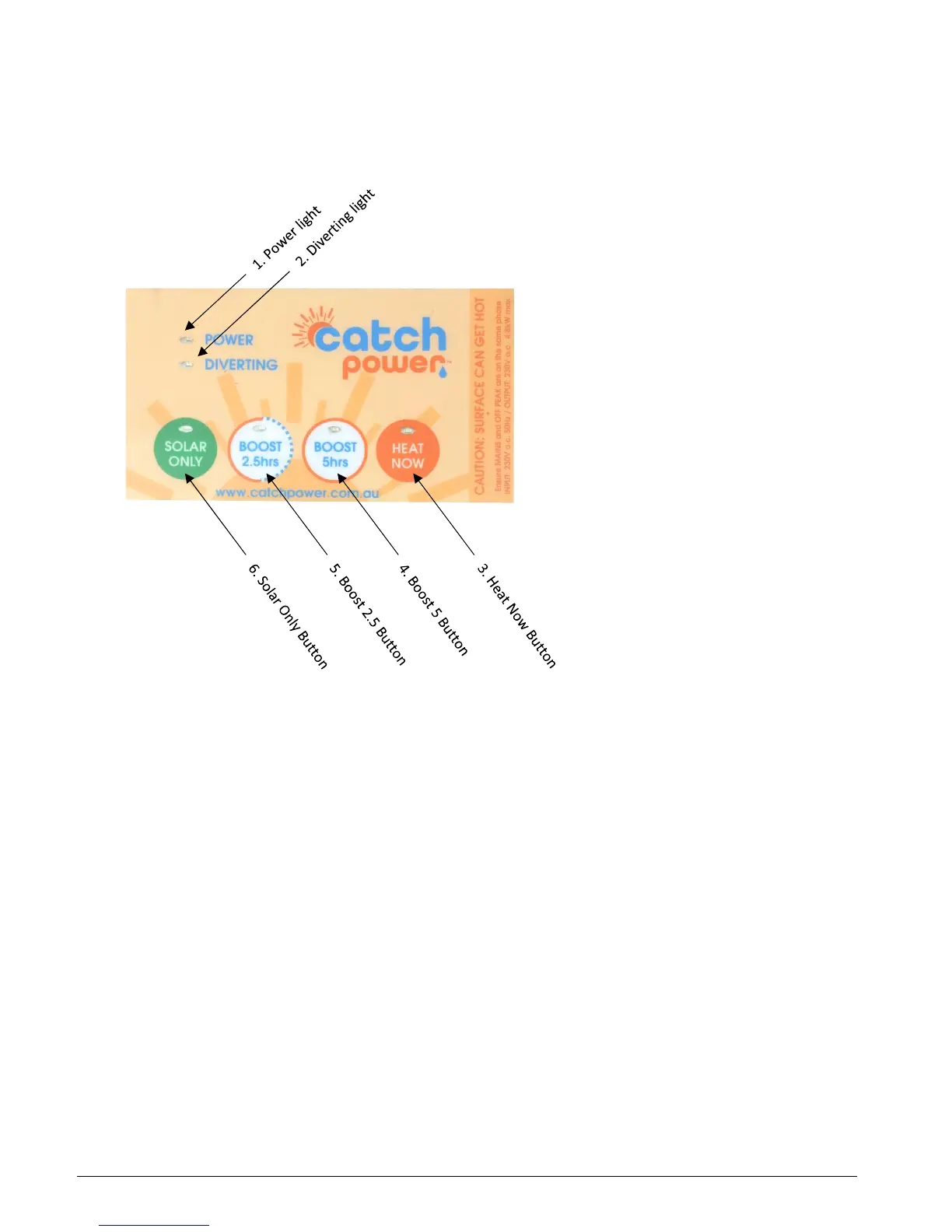
Catch has been designed with simplicity in mind. The interface has only 4 buttons.
3 – How to Control Catch
1. Power light
The power light indicates the unit has power to it and is ready to operate. Most of the time this led
will be solid green.
If you see the power led flashing on and off it means the unit is restricting power delivery to the hot
water because it is getting hot.
The device getting hot is not an indication of a problem, the small form factor means there will be
times the unit needs to slow down because it is getting hot.
1. Diverting light
The diverting light indicates how much energy is being sent to the hot water service. The faster the
diverting light is flashing the more energy is being sent to the hot water.
If the diverting light is solid green it means the unit is as at 100%, which means Catch is sending as
much power as the hot water element can handle.
If the diverting light is off and you see a very short pulse of light every few seconds it means the hot
water service has hit temperature and the hot water thermostat has shut the element off.


 To Next Page