Cateye Ergociser EC-5000 Service Manual
39
ES-10
Replacing the Button Panel
ES-10
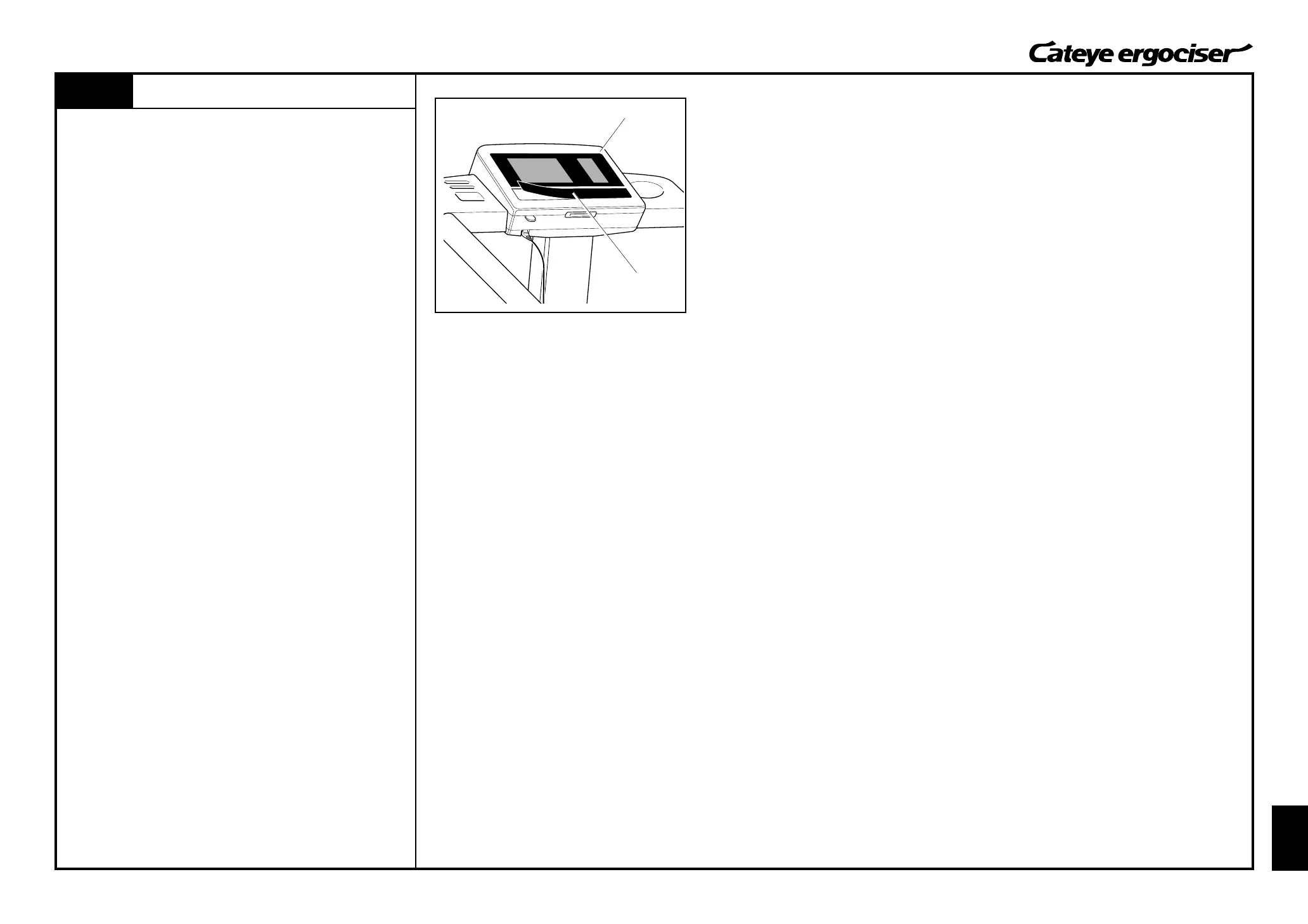
Fig.1
1. Insert a thin cutter knife in between the button panel and the
body, and carefully peel off the button panel. (Fig. 1)
[NOTE] Be careful not to damage the control unit.
2. Clean the adhesive agent, if any, on the control unit.
3. Peel off the seal at the back of the new button panel and put it
to the control unit.
Sufficiently press the button panel thus placed.
Button Panel
Control Unit
Replacing the Button Panel


 To Next Page