Changing the settings Changing the settings
Changing the settings
Changing the settings
(Press&hold) (Press&hold)
(Press&hold)
(Press&hold)
(Press&hold)
(Press&hold)
(Press&hold)
(Press&hold)
CC-MC200W ENG 7
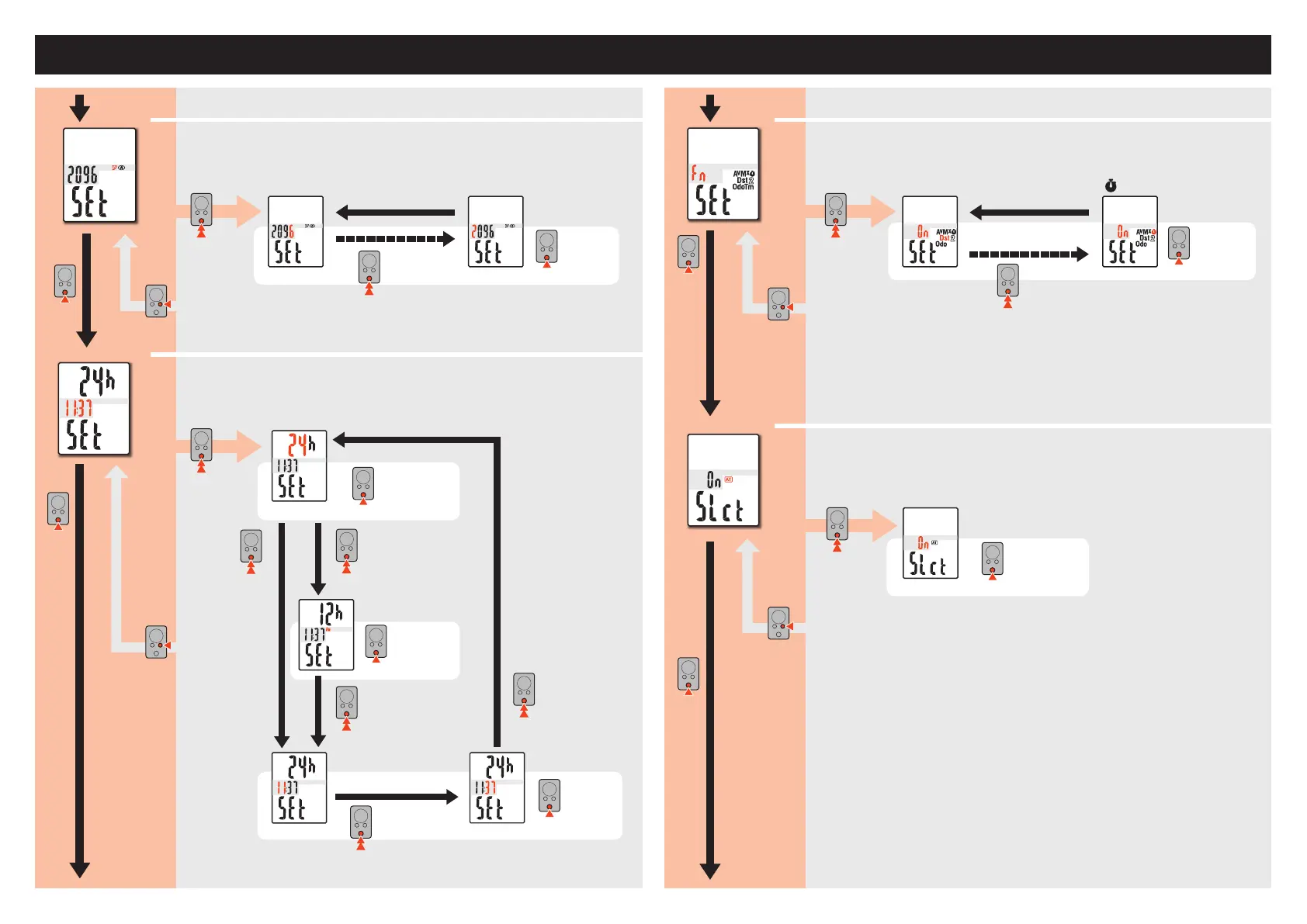
Changing the computer settings [Menu screen]
Setting the clock
Settheclock.
Setting the function
Selectthefunctiontobehidden.
Selecting the auto mode
SelectON/OFFoftheautomode.
MODE
MODE
MODE
MODE
MODE
12h
↔
24h
12h24h
MODE
AM
↔
PM
MODE
ON
↔
OFF
MODE
MODE
MODE
MODE
MODE
MODE
MODE
To“Enteringthetotaldistance”
To“Settingthefunction”
From“Switchingthecircumference” From“Settingtheclock”
0–23
[1–12]
Hour Minute
00–59
MODE
Setting the tire circumference
Enterthetirecircumference.
MODE MODE
MODE
MODE
ON
↔
OFF
0100–3999
Av
→
Mx
→
Odo
Dst
MODE
MODE
Increase
thevalue
Increase
thevalue
Movedigits
(press&hold)
Switchthescreen
(press&hold)
(Press&hold)
MENU
MENU
Register the
setting
Register the
setting
MENU
MENU
Register the
setting
Register the
setting














 To Next Page