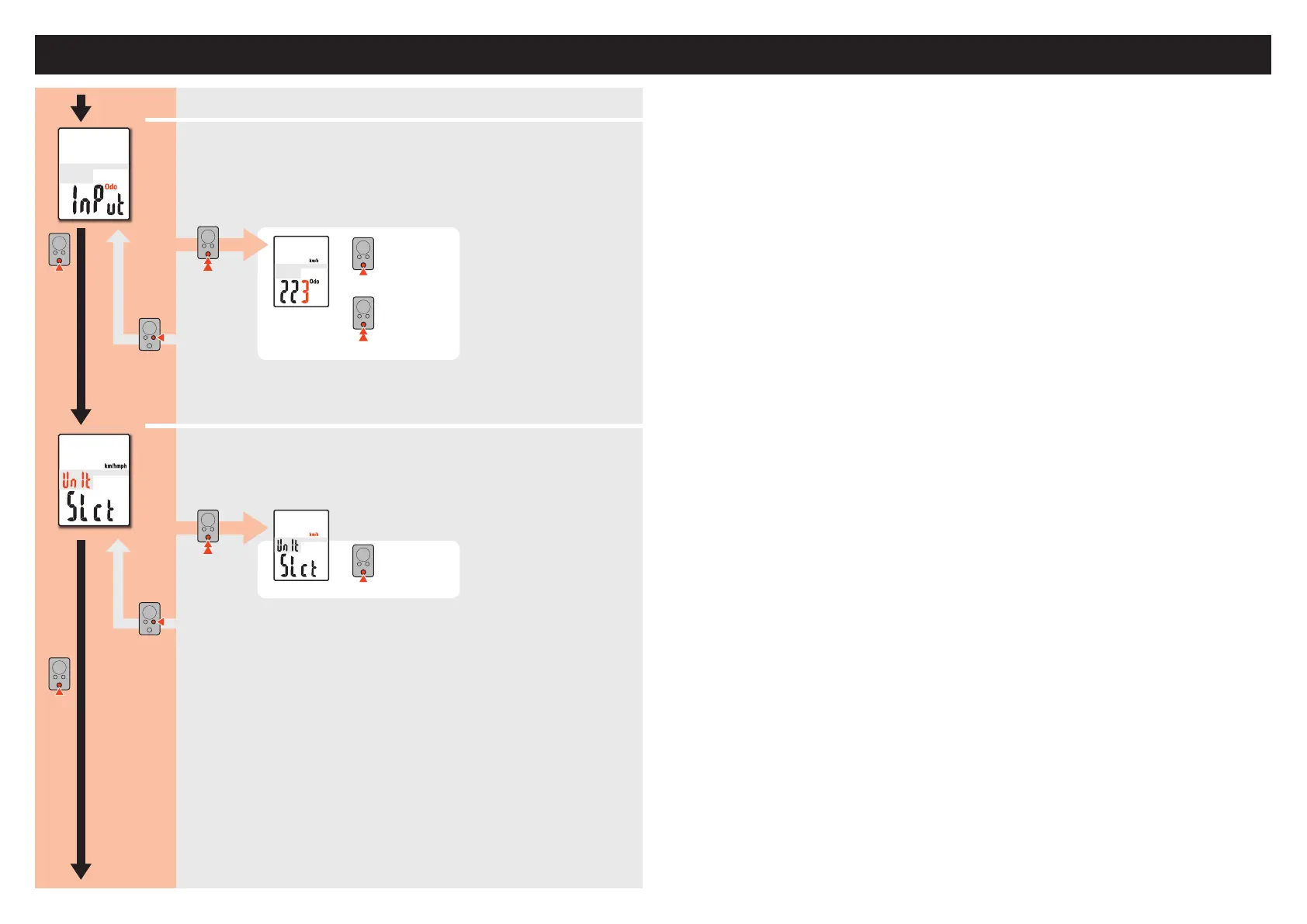
Entering the total distance
Enterthetotaldistance.
*Onceyouenteranyvaluetothetotaldistance,youcanstartfromthevalueyouentered.
Usethisfunctionwhenyourenewand/orresetyourunit.
Selecting the measurement unit
Selectthespeedunit(km/hormph).
MODE
MODE
km/h
↔
mph
MODE
MODE
MODE
To“Selectingthenightmode”
From“Selectingtheautomode”
Changing the settings
Changing the settings
(Press&hold)
(Press&hold)
MENU
MENU
Register the
setting
Register the
setting
CC-MC200W ENG 8
Changing the computer settings [Menu screen]
MODE
MODE
00000–99999
Movedigits
(press&hold)
Increase
thevalue













 To Next Page