
 Need help?
Do you have a question about the Cateye Micro CC-6000 and is the answer not in the manual?
Displays current speed in miles/h or km/h. Updates once per second.
Displays pedal revolutions per minute (rpm). Alternates with speed.
Stores and displays the highest speed reached during operation.
Measures and accumulates total distance ridden until battery depletion.
Measures distance covered from a starting point to the current point.
Calculated based on elapsed time and trip distance.
Measures the total time spent riding.
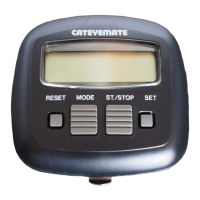
Alternates display between speed and cadence modes.
Shifts display modes sequentially, showing corresponding data.
Starts or stops trip distance and elapsed time measurement.
Resets specific data modes (MXS, DST, AVS, TM) to zero.
Clears all stored data, including ODO and wheel circumference.
Configures the unit to display distance in km or miles.
Instructions for removing the old battery and inserting a new one.
Explains how to measure and calculate wheel circumference for accurate readings.
Procedures for resetting or modifying the stored wheel circumference value.
Instructions for clamping the wheel magnet onto the rear wheel spokes.
Instructions for mounting the wheel sensor on the chain stay.
Details on aligning marking lines and ensuring proper clearance between magnet and sensor.
Steps to securely attach the cadence magnet to the inside of the left crank.
Instructions for mounting the cadence sensor on the front area of the left chain stay.
Guidance on aligning marking lines and ensuring 1mm clearance for the cadence sensor.
Instructions for attaching the bracket to the handlebar stem and tightening it.
Steps for using wire clips to manage and secure the sensor wire.
Verifies speed display by spinning the rear wheel off the ground.
Steps to check, start, stop, and read basic data like speed and cadence.
Explains how to use start/stop buttons to accumulate trip data or lap times.
Advises against exposing the unit to direct sunlight when not in use.
Warns against disassembling the main unit or its accessories.
Reminds riders to focus on the road and traffic safety.
Details the measurable ranges for Current Speed, Cadence, Total Distance, etc.
Specifies the controller as a 4-bit 1-chip Microcomputer.
Identifies the display type as Liquid Crystal.
Specifies the sensor type as No Contact Magnetic Sensor.
Indicates the power source is a Lithium Battery (CR2032).
Specifies the operational temperature range in Celsius and Fahrenheit.
Specifies the storage temperature range in Celsius and Fahrenheit.
Lists the compatible bicycle wheel sizes.
Provides accuracy specifications for various functions like speed, distance, and time.
Estimates the expected battery life in years.
Lists the physical dimensions and weight of the unit.
 General
| Current Speed | Yes |
|---|---|
| Maximum Speed | Yes |
| Average Speed | Yes |
| Trip Distance | Yes |
| Odometer | Yes |
| Clock | Yes |
| Display | LCD |
| Battery | CR2032 |
| Water Resistance | Yes |








 To Next Page