Rev 6 – Feb 2022
Page 24 of 44
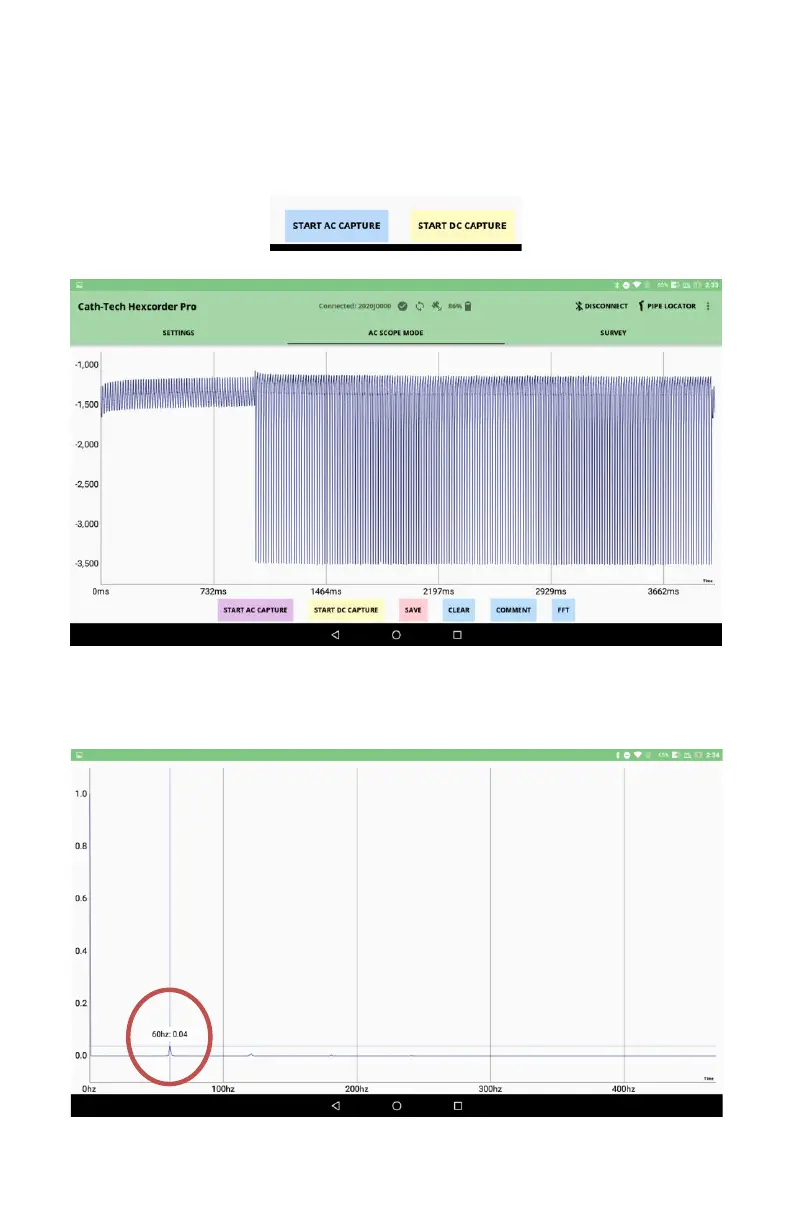
Start AC Capture
Press the START AC CAPTURE button and the Hexcorder Pro will record a 1-cycle unfiltered CIPS
reading.
The reading can be manipulated in the X and Y directions by pinch zooming. The user can store a
data file version by pressing the SAVE button. A .CSV file of the values will be stored on the
Hexcorder Pro. The user can also add a comment that will be saved in the .CSV file with the data.
The FFT button can be used to perform a Fast Fourier Transform (FFT) on the scope capture to
calculate and display the frequencies found in the captured signals. FFT can also be useful for
identifying Pipe Locator interference.


 To Next Page