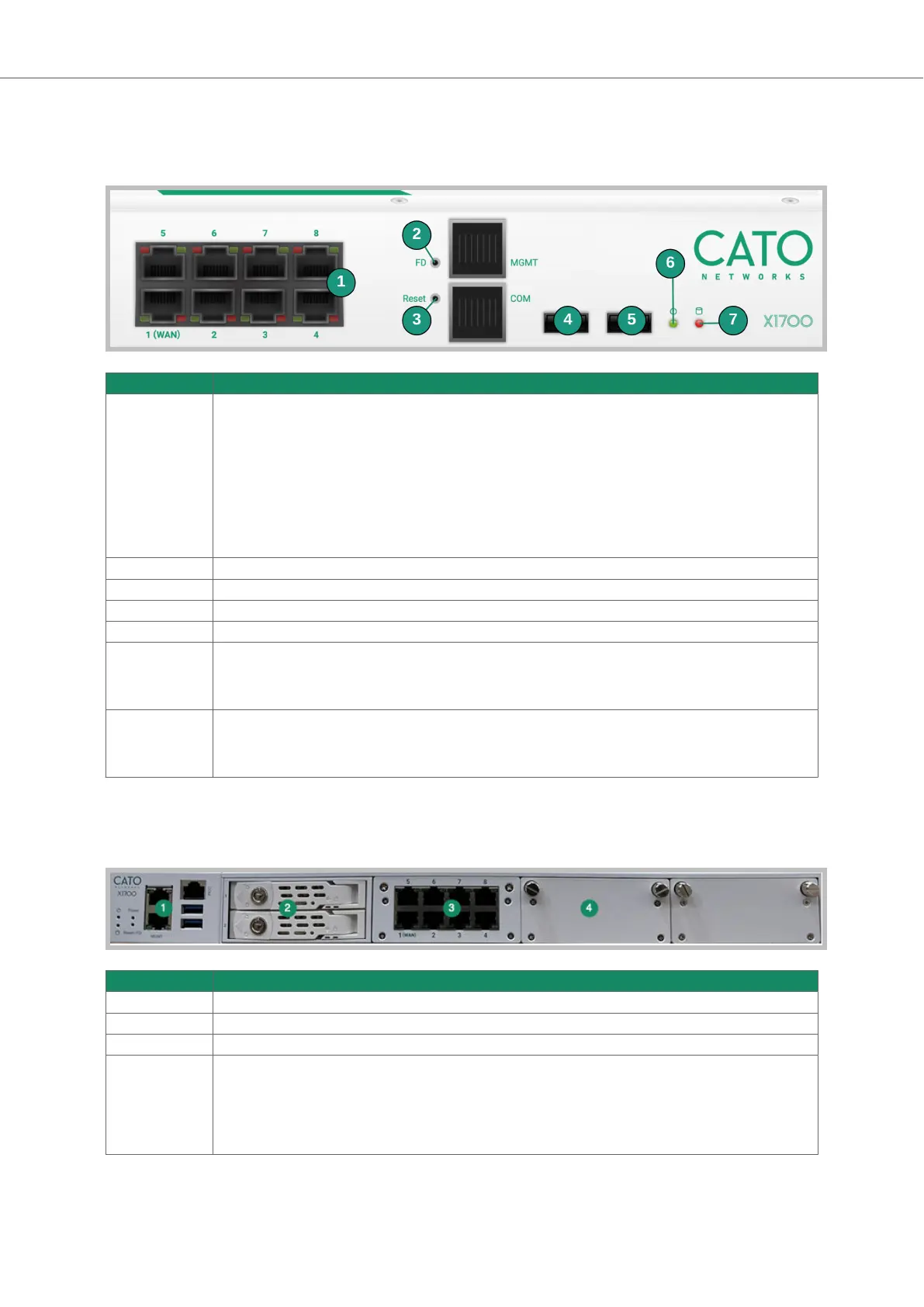
Front Panel LEDs and Reset Buttons
This section explains the LEDs and reset buttons on the front panel of the X1700 Socket.
Item Description
1 LEDs for network ports
• Left LED (activity)
◦ no color - port link is disconnected
◦ green (steady color) - link has connectivity
◦ green (blinking) - link is active and passing traffic
• Right LED (link speed)
◦ no color - link speed is 10 Mbit/s
◦ green - link speed is 100 Mbit/s
◦ amber - link speed is 1000 Mbit/s
2 FD button - reserved for future use
3 Reset button - restarts the Socket
4 USB1 port
5 USB2 port - You can use USB 2.0 flash drives to reimage the X1700 Socket with the USB2 port
6 Power LED
• off - the Socket is powered off
• on - the Socket is powered on
7 HDD LED
• off - the HDD for the Socket is currently inactive
• on (blinking) - the Socket is accessing data on the HDD
Overview of the X1700B Socket
These are the front panel components of the X1700B Socket:
Item Description
1 Management and USB ports
2 Storage drives
3 8 x 1Gbps
4 Expansion slots for network card add-ons:
• 2 x 1Gbps fiber
• 4 x 1Gbps copper
• 2 x 10Gbps fiber
• 4 x 10Gbps fiber
Socket X1700 Deployment Guide Deploying Your Cato Socket
Page 10 of 18



 To Next Page