Deploying Your Cato Socket
Deploying a Socket temporarily interrupts Internet connectivity.
Identifying the X1700 Socket Model
At the end of 2022, Cato introduced a second hardware model for the X1700 Socket. The new hard-
ware model is referred as X1700B and has a different front panel and uses a different firmware image.
You can use the front panel images in the following sections to identify which Socket model you have.
Overview of the X1700 Socket
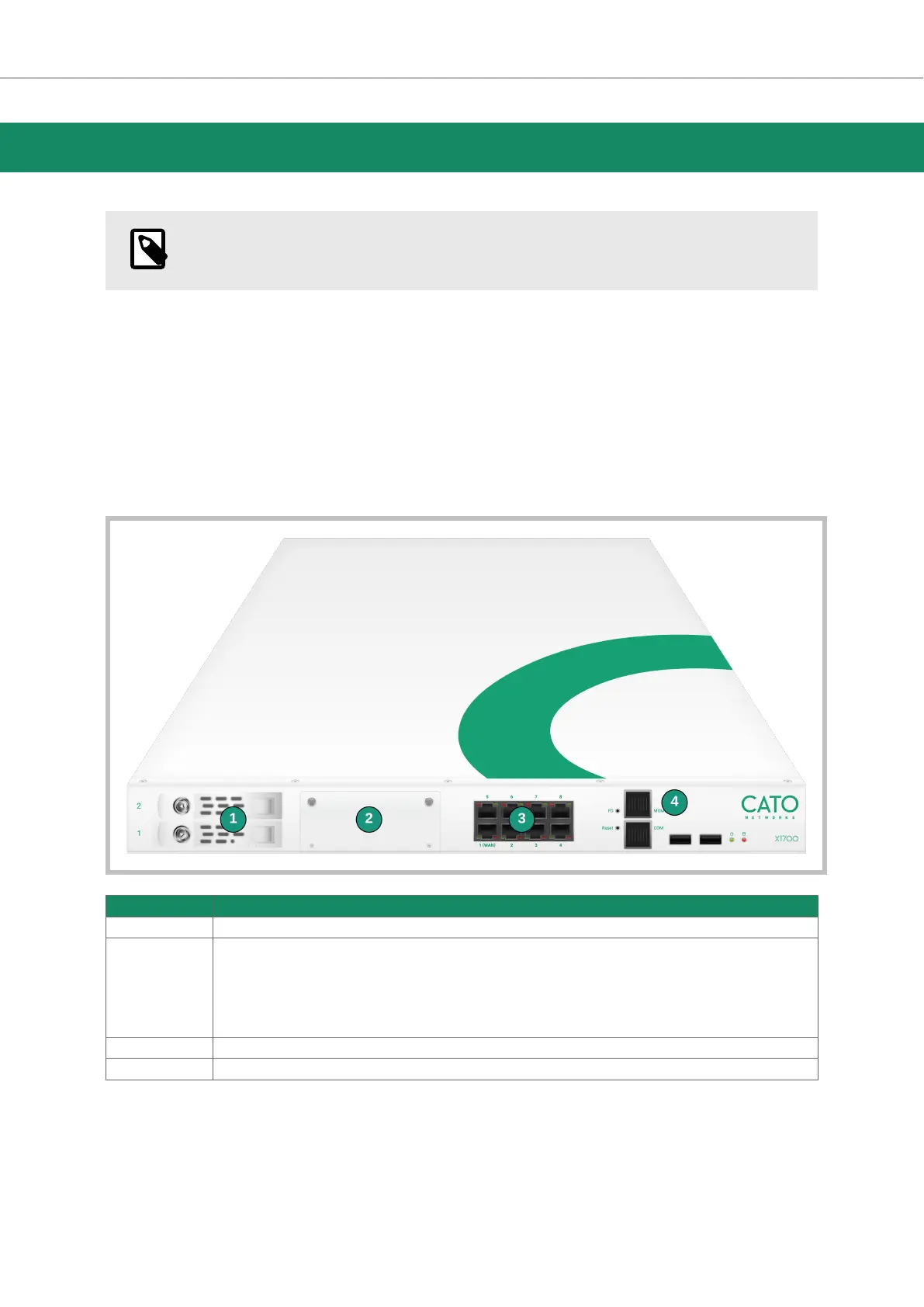
These are the front panel components of the X1700 Socket:
Item Description
1 Storage drives
2 Expansion slots for network card add-ons:
• 2 x 1Gbps fiber
• 4 x 1Gbps copper
• 2 x 10Gbps fiber
• 4 x 10Gbps fiber
3 8 x 1Gbps
4 Management port - connects to the Socket WebUI
Socket X1700 Deployment Guide Deploying Your Cato Socket
Page 9 of 18



 To Next Page