NVE902 H.264 HD Network Encoder User Manual
3.2.2 Preview
Select Config in the main menu, pull downward and click Preview:
After select Preview in the protocol options, user can click to preview the
video after encoded.
3.3 Advanced Configuration
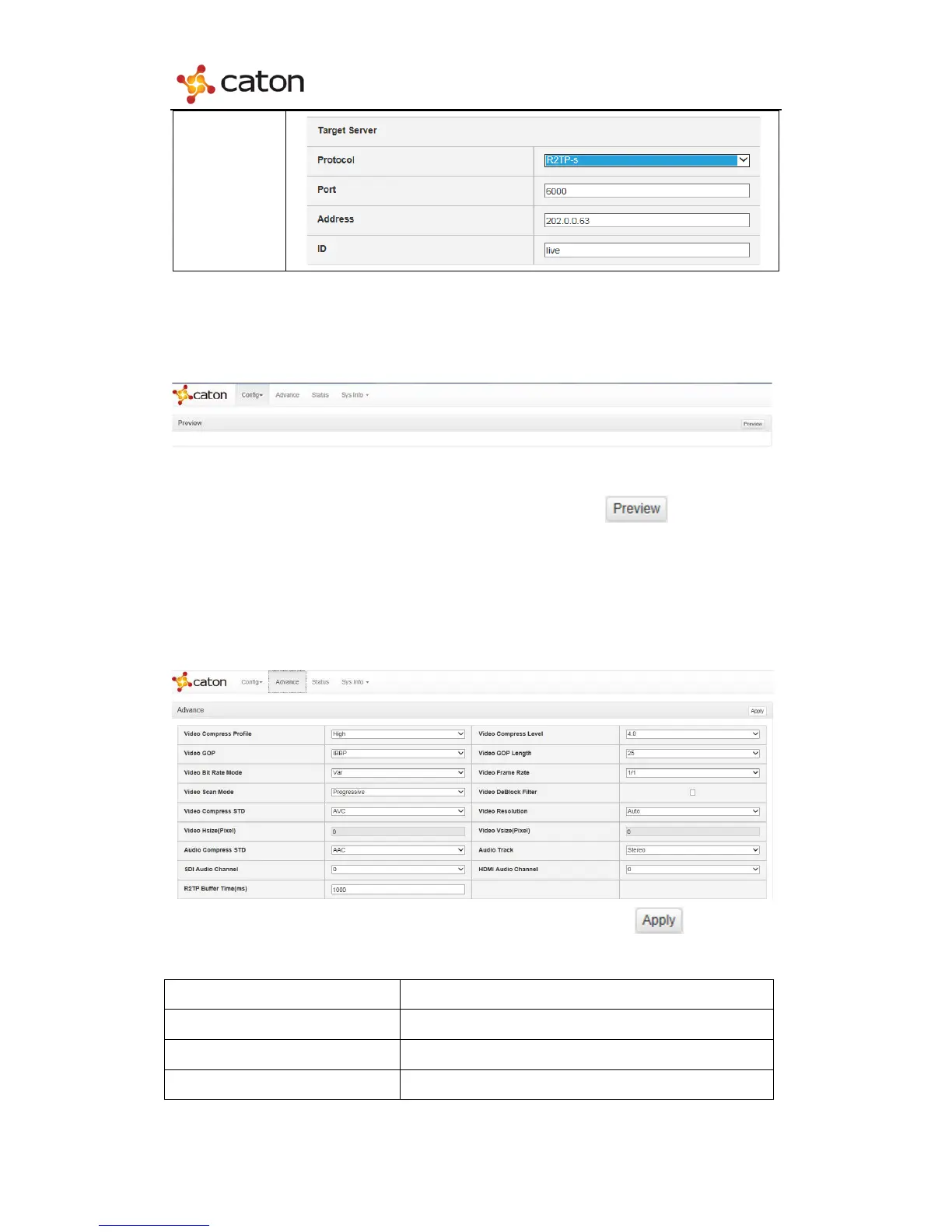
Select Advance in the main menu:
User can configure the advanced settings of device. Click to save the
modifications.



 To Next Page