NVE902 H.264 HD Network Encoder User Manual
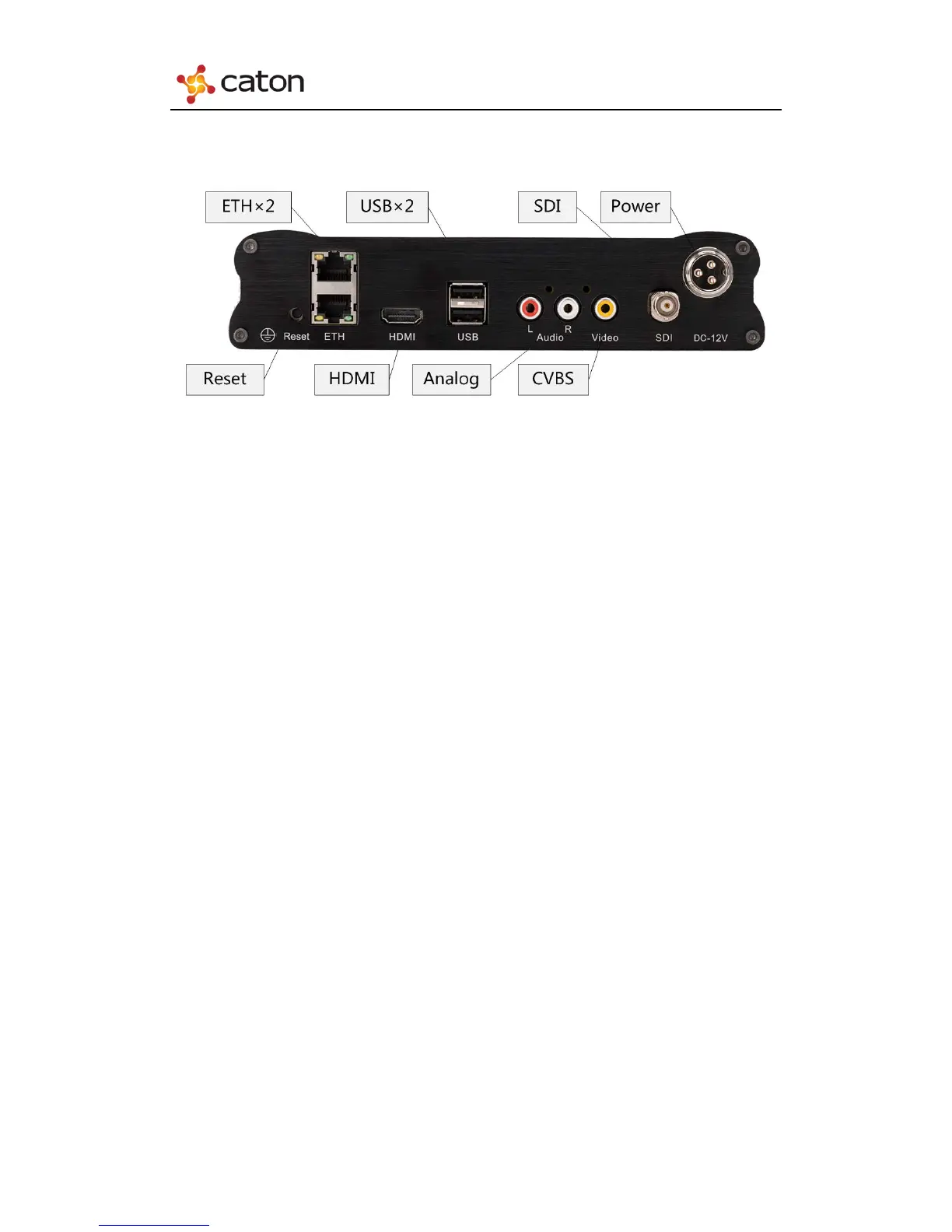
1.4.2 Rear Panel
(1) SDI: Input HD/SD-SDI HD/SD Video & Audio Signals.
(2) HDMI: Input HDMI HD Video & Audio Signals.
(3) CVBS & Analog: Input Analog SD Video & Audio Signals.
(4) ETH(x2): Network interface to control the device through Internet,also for IP
output of encoded streaming.
(5) USB(x2): Mount USB flash disk to save or apply the configuration file.
(6) Reset: Press over 15 seconds to recover to the default settings.
(7) Power: Connect the power adapter to power up the device.
4



 To Next Page