NVE902 H.264 HD Network Encoder User Manual
To modify the value of parameters, slide the “Select” button to select the position
of parameters. After the cursor moved to the right position, slide the “Adjust” button
to adjust the value of parameters (Slide the “Adjust” button towards the left to
decrease the value, Slide towards the right to increase the value). Press the “Enter”
button to save the modifications, press the “Esc” button to cancel the modifications.
To change the option of parameters, slide the “Adjust” button to select the option.
Press the “Enter” button to save the modifications, press the “Esc” button to cancel
the modifications.
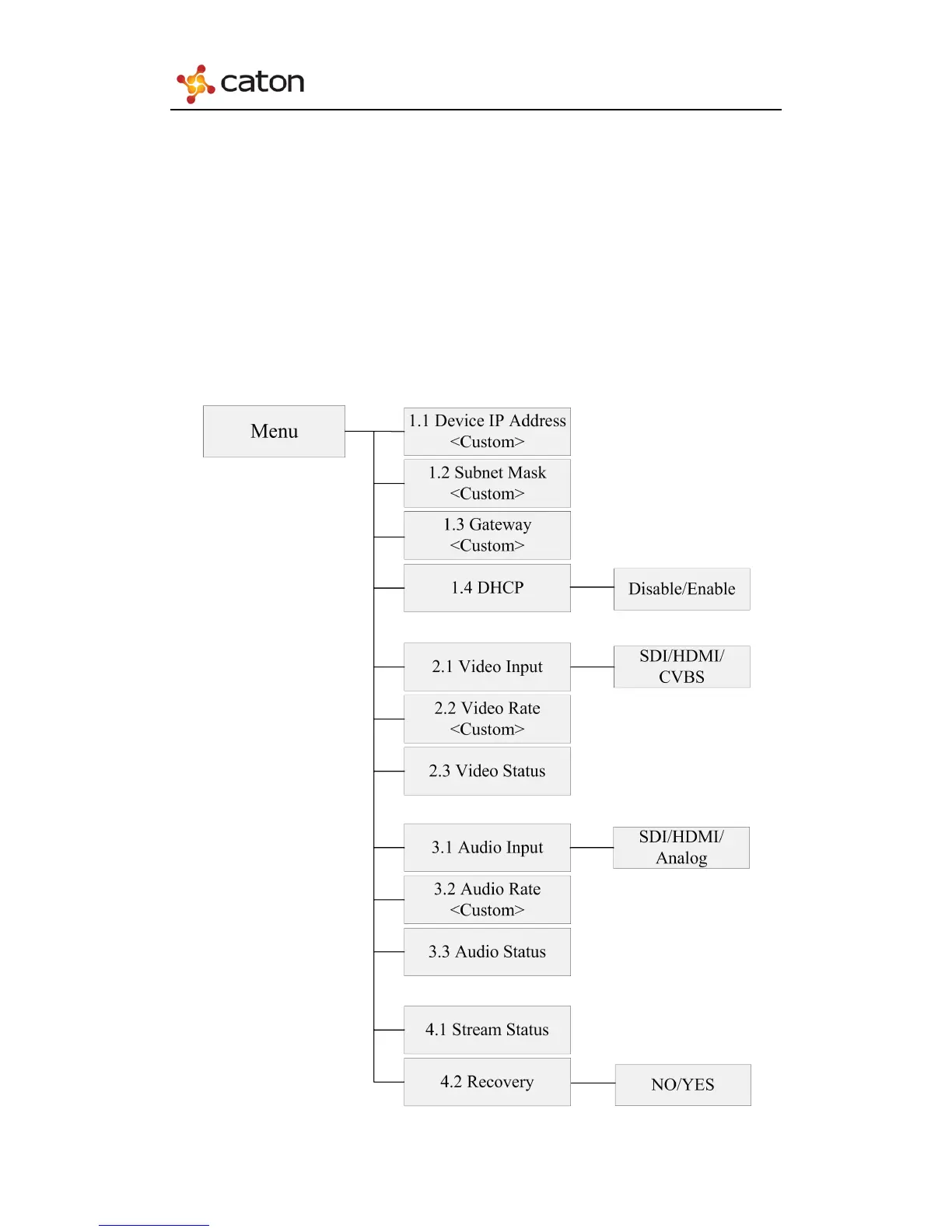
2.2.2 Menu Overview
6



 To Next Page