NVE902 H.264 HD Network Encoder User Manual
3 Web Control
3.1 Log In
User can configure the device via Internet. Take the follow steps to log in before
using web UI control:
(1) Prepare a PC with web browser.
(2) Connect PC and the device through network interface.
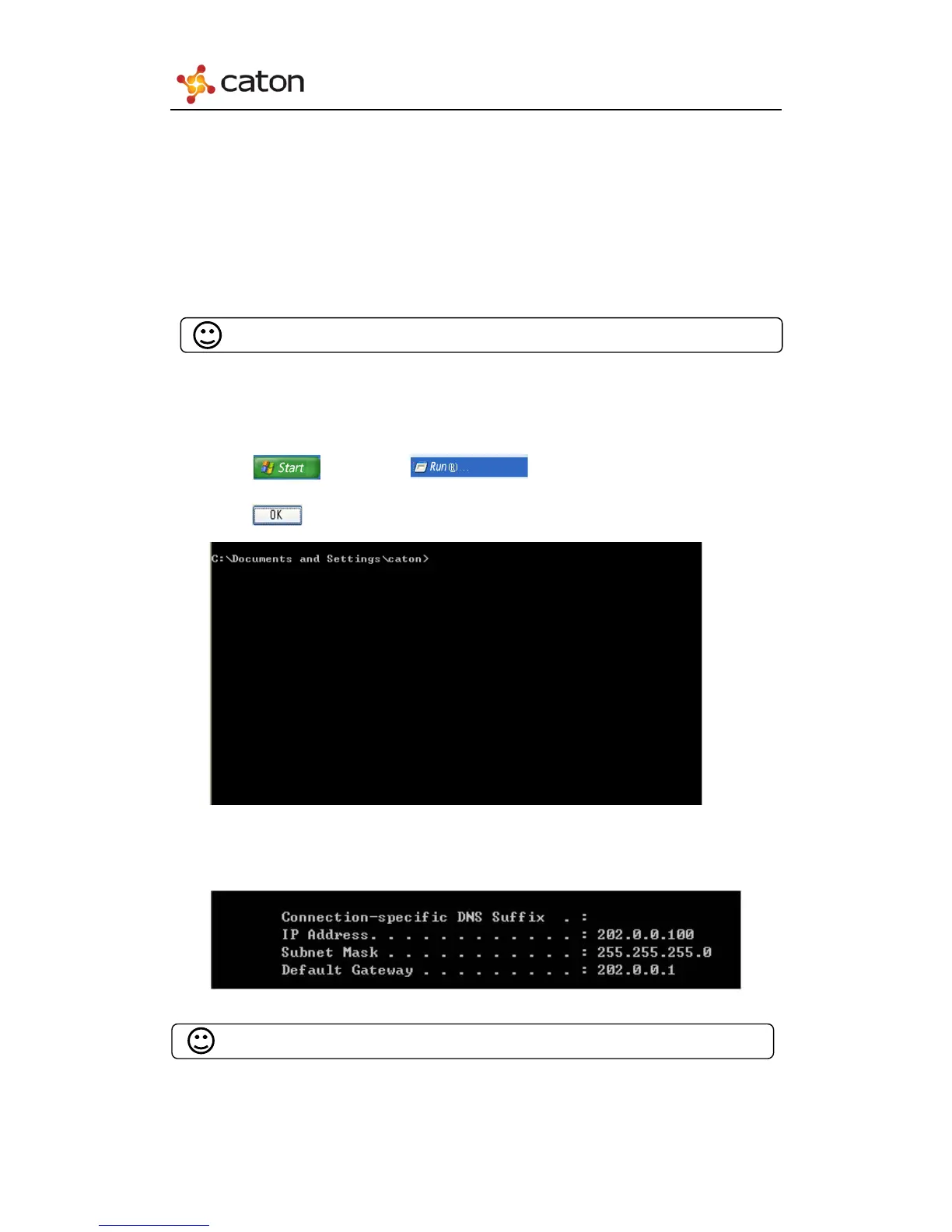
(3) Make sure that the IP address of the device and PC are in the same network
segment:
Click , then click , and input “CMD” in the textbox.
Click , it will display the following window:
Input “ipconfig”, and press the “Enter” Key:
Confirm the IP address of the device through the front panel:



 To Next Page