EasyManua.ls Logo

Cavli Wireless C10QM - User Manual

Cavli Wireless C10QM
29 pages
Print Icon
To Next Page IconTo Next Page
Loading...
2
C10QM/C20QM EVK User Manual
www.cavliwireless.com
Re-imagining
Cellular
IoT
Solutions
Cavli C10QM/C20QM EVK
User Manual
External Release Version 1.1
www.cavliwireless.com
Question and Answer IconNeed help?

Do you have a question about the Cavli Wireless C10QM and is the answer not in the manual?

Summary

Introduction

1.1 Overview

Familiarizes the reader with the functionalities and interfaces of the evaluation board.

1.2 References

Lists the documents the present document is based on.

Interfaces

2.1 Chapter Overview

Details necessary information on C10QM/C20QM EVK Interfaces and Pin-outs.

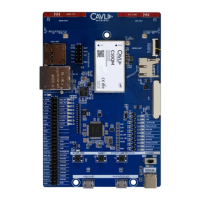
2.2 EVK Layout

Provides a visual representation of the C10QM/C20QM EVK board layout.

2.3 Pin Layout

Details the pinout configuration for the C10QM/C20QM EVK.

Component Description

3.1 Antenna

Details the integrated LTE, diversity, and GNSS antennas on the EVK.

3.1.1 LTE Antenna

Describes the integrated LTE antenna from Ignion, covering low, mid, and high bands.

3.1.2 Diversity Antenna

Explains the integrated chip antenna for diversity and SMA connectors for external antennas.

3.1.3 GNSS Antenna

Details connecting an external GNSS antenna via the U.FL connector.

3.2 Sim Card Socket

Explains how to insert a SIM card into the micro-SIM socket.

3.3 JTAG Interface

Details the JTAG interface for module programming.

3.4 SD Interface

Describes the interface for accessing the SDC of the C10QM/C20QM.

3.5 Micro SD Card Socket

Explains the micro-SD card socket for file access.

3.6 Ethernet

Details the LAN cable connection and Ethernet interface.

3.6.1 Ethernet Chip

Describes the integrated AR8033 Ethernet transceiver and RJ45 interface.

3.7 LCD Interface

Explains the MIPI DBI-2 Type B interface for LCD interfacing.

3.8 LED Indicators

Details the various LED indicators on the EVK for status monitoring.

3.8.1 3.8 V

Indicates 3.8V power input status.

3.8.2 3.3 V

Indicates 3.3V power input status.

3.8.3 1.8 V

Indicates 1.8V voltage source status.

3.8.4 PWR_LCD_EN

Indicates power status when LCD is enabled.

3.8.5 UIM_SEL

Indicates USIM selection status.

3.8.6 FLIGHT

Indicates flight mode status.

3.8.7 WLAN_EN

Indicates WLAN status.

3.8.8 STATUS

Indicates module status (on/off).

3.8.9 WWAN_STATE

Indicates network connection status.

3.8.10 RESOUT_N

Indicates RESOUT_N status.

3.8.11 WAKEUP

Indicates module wakeup state.

3.9 USB-UART Converter

Details the FT4232 converter for USB-UART communication.

3.10 50 Pin Connector

Explains access to interfaces via the 50-pin connector.

3.11 USB Boot Button

Describes the button used to enter the bootloader.

3.12 Reset Button

Explains the button used to reset the module.

3.13 Power Button

Details the button used to power on the module.

3.14 Power Switch

Explains the switch for powering the EVK board on/off.

3.15 Power Input- (Type C)

Recommends 5V/2A adapter or PC USB port for power input.

3.16 USB Interface

Details the micro-USB interface for USB 2.0 access.

3.17 UART Interface

Explains using USB cable for UART ports (debug, AT).

Setup Guide

Summary

Introduction

1.1 Overview

Familiarizes the reader with the functionalities and interfaces of the evaluation board.

1.2 References

Lists the documents the present document is based on.

Interfaces

2.1 Chapter Overview

Details necessary information on C10QM/C20QM EVK Interfaces and Pin-outs.

2.2 EVK Layout

Provides a visual representation of the C10QM/C20QM EVK board layout.

2.3 Pin Layout

Details the pinout configuration for the C10QM/C20QM EVK.

Component Description

3.1 Antenna

Details the integrated LTE, diversity, and GNSS antennas on the EVK.

3.1.1 LTE Antenna

Describes the integrated LTE antenna from Ignion, covering low, mid, and high bands.

3.1.2 Diversity Antenna

Explains the integrated chip antenna for diversity and SMA connectors for external antennas.

3.1.3 GNSS Antenna

Details connecting an external GNSS antenna via the U.FL connector.

3.2 Sim Card Socket

Explains how to insert a SIM card into the micro-SIM socket.

3.3 JTAG Interface

Details the JTAG interface for module programming.

3.4 SD Interface

Describes the interface for accessing the SDC of the C10QM/C20QM.

3.5 Micro SD Card Socket

Explains the micro-SD card socket for file access.

3.6 Ethernet

Details the LAN cable connection and Ethernet interface.

3.6.1 Ethernet Chip

Describes the integrated AR8033 Ethernet transceiver and RJ45 interface.

3.7 LCD Interface

Explains the MIPI DBI-2 Type B interface for LCD interfacing.

3.8 LED Indicators

Details the various LED indicators on the EVK for status monitoring.

3.8.1 3.8 V

Indicates 3.8V power input status.

3.8.2 3.3 V

Indicates 3.3V power input status.

3.8.3 1.8 V

Indicates 1.8V voltage source status.

3.8.4 PWR_LCD_EN

Indicates power status when LCD is enabled.

3.8.5 UIM_SEL

Indicates USIM selection status.

3.8.6 FLIGHT

Indicates flight mode status.

3.8.7 WLAN_EN

Indicates WLAN status.

3.8.8 STATUS

Indicates module status (on/off).

3.8.9 WWAN_STATE

Indicates network connection status.

3.8.10 RESOUT_N

Indicates RESOUT_N status.

3.8.11 WAKEUP

Indicates module wakeup state.

3.9 USB-UART Converter

Details the FT4232 converter for USB-UART communication.

3.10 50 Pin Connector

Explains access to interfaces via the 50-pin connector.

3.11 USB Boot Button

Describes the button used to enter the bootloader.

3.12 Reset Button

Explains the button used to reset the module.

3.13 Power Button

Details the button used to power on the module.

3.14 Power Switch

Explains the switch for powering the EVK board on/off.

3.15 Power Input- (Type C)

Recommends 5V/2A adapter or PC USB port for power input.

3.16 USB Interface

Details the micro-USB interface for USB 2.0 access.

3.17 UART Interface

Explains using USB cable for UART ports (debug, AT).

Setup Guide

Cavli Wireless C10QM Specifications

General IconGeneral
ModelC10QM
CategoryControl Unit
ConnectivityCellular, GNSS
ProcessorARM Cortex-M4
Operating Voltage3.3V - 4.2V
Operating Temperature-40°C to +85°C
Weight10g
GNSSGPS, GLONASS, BeiDou, Galileo
InterfacesUART, I2C, SPI, GPIO
CertificationsCE, FCC, RoHS

Related product manuals