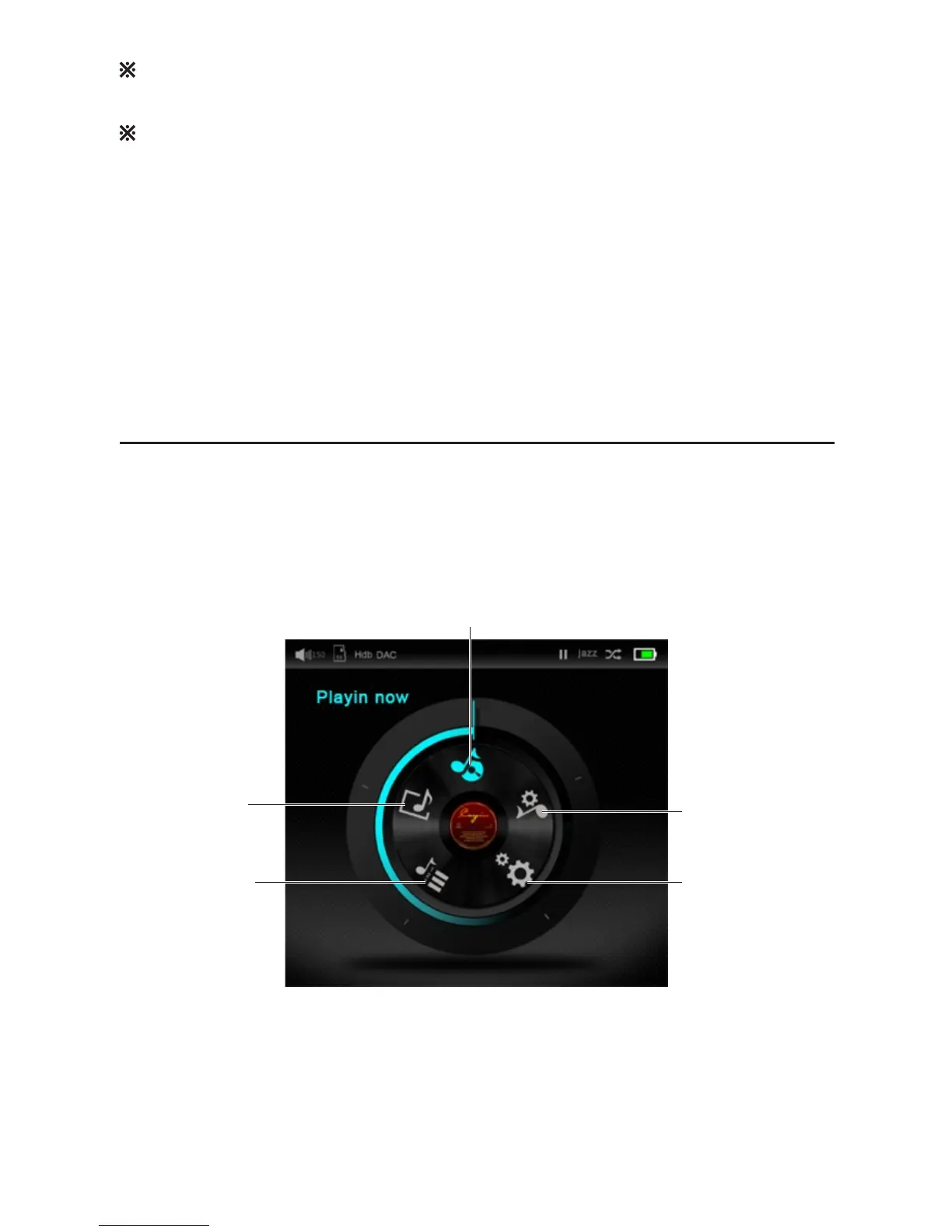
Display and Menu
The Home Screen
System setting
Music Category
Music Library
Playing Now
Music setting
At the Home menu, select “Music Category”, the player will offer a list of music grouping or
selection criteria at your discretion. Selection the desired grouping by using the “Right” button
on the faceplate of the player, the screen will open up the list with all the file organized
accordingly, and you can browse through the list with “Up” and “Down” button or play the files
with the “Right” button.
For more detail, please refer to detail description of “Music Category” menu.
The control system of N6 is divided into 5 menu: Music Category, Music Library, Playing Now,
Music setting and system setting
The Player will stop current playback while updating “Music Library”
The system will only display music files that can be processed by the player, all other
documents will not be included in the filing system.
Playback from “Music Category”
8


 To Next Page