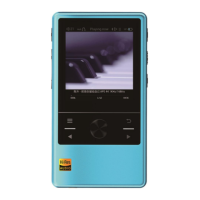
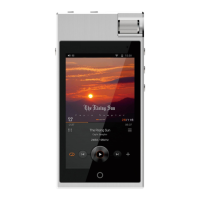
You can review “Album” list from “Music Category” menu.
You can check out the total number of files in “Album” list at “Music Category” menu
Press “Right” button to go into the “Album” list sorted by Album title.
Press “Right” button again to review the file list of the selected Album
Press “Right” button again to play any file in the list.
2. From “Music Library”: When you browse through the files in the Music Library menu, all the
files that has been marked as “My Favorites” will have a heart icon to identify it for the user.
Scroll to the file that you want to remove from “My Favorites”, press and hold the Control Dial
to activate the PoP-up Quick Menu, select “Remove My Favorite” icon and click the Control dial
again to remove the file from “My Favorites” list.
3. From other File list: You can practically unmark a file from “My Favorites” at any file list inside
N6. Simply select the file that you want to remove, press and hold the Control Dial to activate
the PoP-up Quick Menu, select My Favorite icon and click the Control dial again to remove the
file from “My Favorites” list.
Recently Played
You can review “Recently Played” list from “Music Category” menu.
You can check out the total number of files in “Recently Played” list at “Music Category” menu
Press “Right” button to go into the “Recently Played” list.
Press “Right” button again to play any file in the list.
Album
Artist
You can review “Artist” list from “Music Category” menu.
You can check out the total number of artists in “Album” list at “Music Category” menu
Press “Right” button to go into the “Artist” list sorted by Artist name.
Press “Right” button again to review the file list of the selected Artist
Press “Right” button again to play any file in the list.
Genre
You can review “Genre” list from “Music Category” menu.
You can check out the total number of genre types in “Genre” list at “Music Category” menu
Press “Right” button to go into the “Genre” list sorted by Genre type.
Press “Right” button again to review the file list of the selected Genre type
Press “Right” button again to play any file in the list.
All Songs
The player will generate a comprehensive list that include all the recognizable music file, the
“All Songs” list when you perform Update Music Library.,
You can review “All Songs” list from “Music Category” menu.
Press “Right” button to go into the “All Song” list
Press “Right” button again to play any file in the list.
10


 To Next Page