Page.8.
Notice :Press the key several seconds to restore the default settings when the
instrument works abnormally.
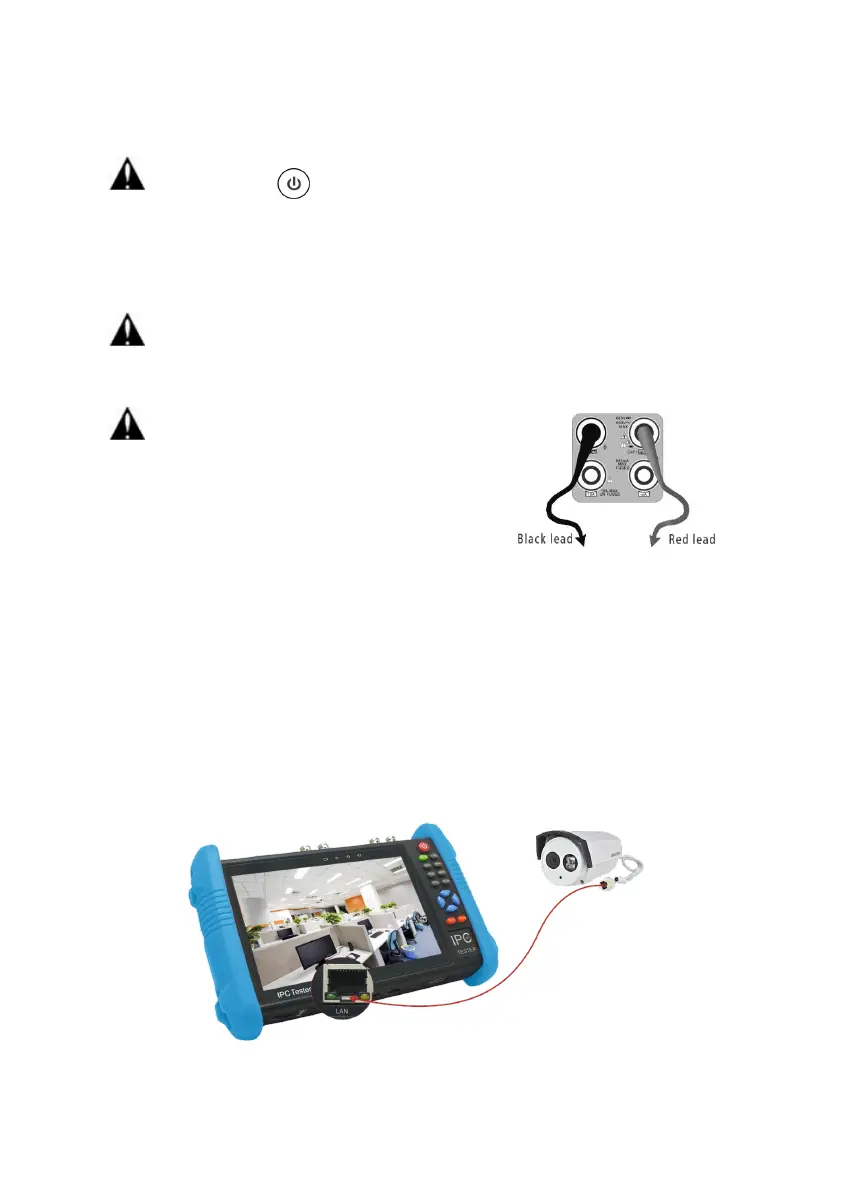
Multi-meter: the red and black multi-meter pen must insert the corresponding port.
Warnings:Instrument communication port is not permitted access circuit voltage over 6V,
otherwise damage the tester.
Warnings:Not allow insert multi-meter pen in the current
terminal to measure voltage.
3.2 Instrument connection
3.2.1 IP camera connection
Power an IP camera with an independent power supply, then connect the IP camera to the IPC tester’s
LAN port, if the link indicator of the tester’s LAN port is green and the data indicator flickers, it means
the IP camera and the IPC tester are communicating. If the two indicators don’t flicker, check if the IP
camera is powered on or the network cable is not functioning properly.


 To Next Page