Page.15.
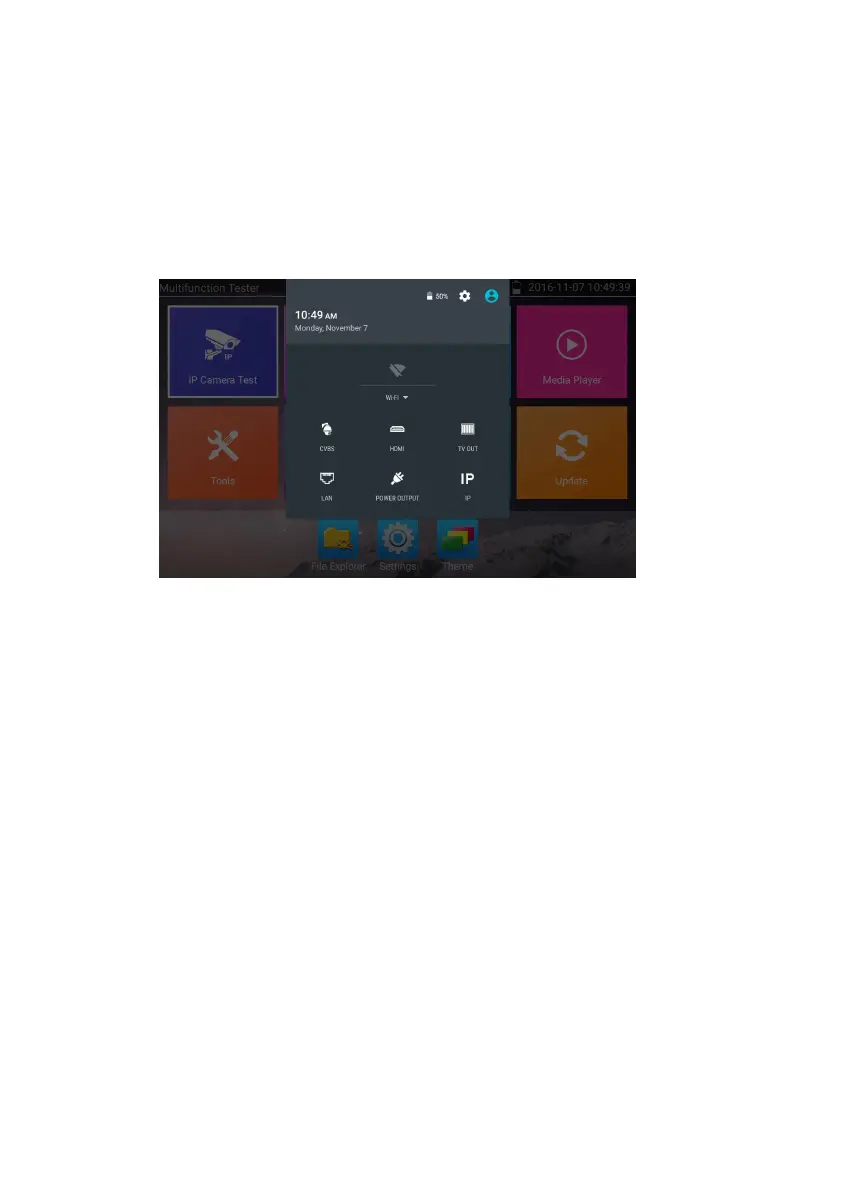
Press and slide at right top right corner twice to open shortcut menu. The shortcut menu includes POE
power output, IP settings, Wi-Fi, HDMI IN, CVBS, Video OUT, LAN, Brightness, settings etc.
HDMI: Click HDMI IN to enter,In HDMI IN mode, it can converter test from analog to digital
with dual test window IP & HDMIN or Analog & HDMI in.
CVBS: Click icon “CVBS “to enter, you can test IP and analog camera at the same time.
Video OUT: Click Video OUT to enter floating window, connecting the BNC cable to tester
and appears analog video monitor interface, it can test circuit and BNC cable whether normal.
LAN: Display network port or WIFI connection real-time upload and download speeds and
other network parameters.
Brightness: Set brightness.
Settings: Enter settings interface.
IP: Enter IP Settings interface.
POE power output: Turn on or off the tester “PoE power “app.
WLAN: Turn on WLAN net and displays current WLAN status.


 To Next Page