Page.24.
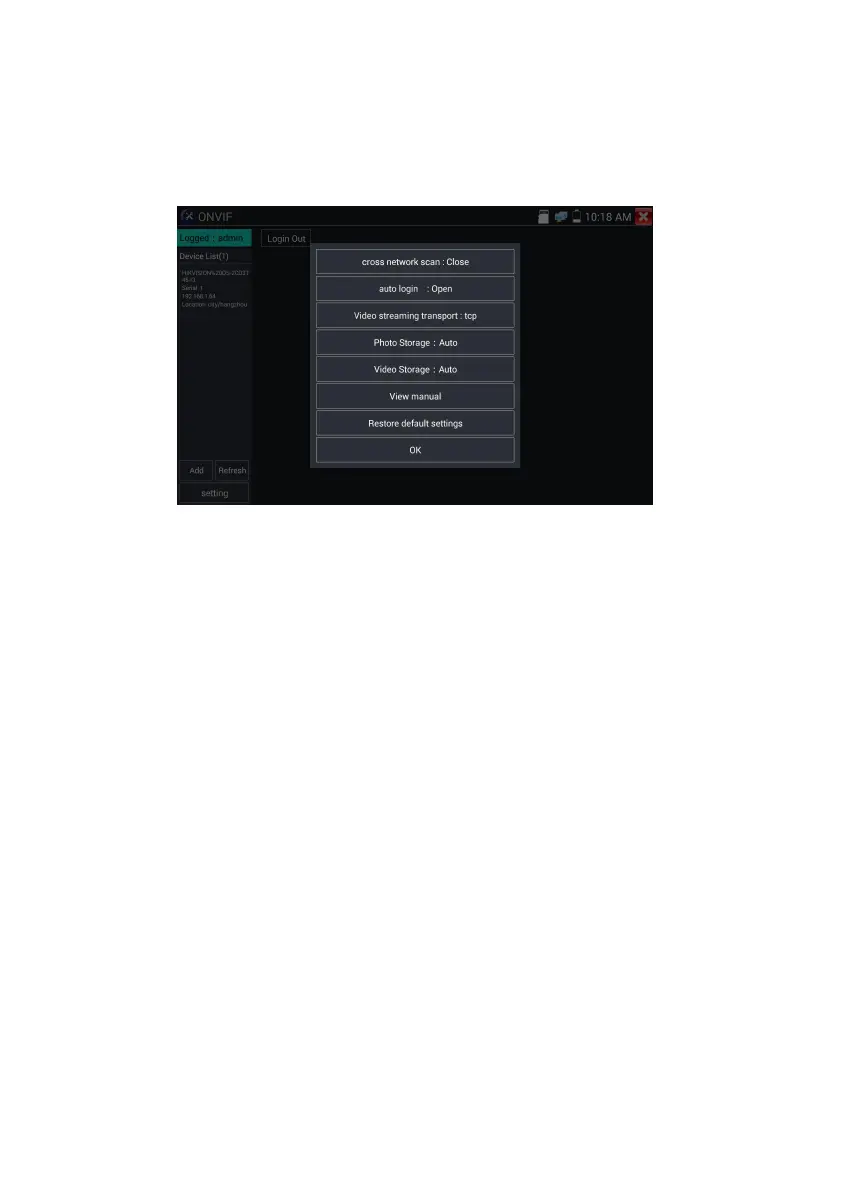
Pop-up settings menu when click the “ONVIF setting ”icon in the upper left corner.
Across network segments scan: After open this function , enter “Setting”-“IP Settings”-“Advanced”to
add other network segments IP, Rapid ONVIF function can across network segments to scan camera’s
IP.
Auto Login : After open this function, tester can auto login camera and display camera image. (The
login password is the same with last time, the first time using password is the default password
"admin")
Video transmission protocol: UTP and TCP protocol.
Open password cracker : Cracks password of cameras.
View manual : Open Manual.
Restore Defaults: Revert “Rapid ONVIF” to default settings.
Confirm : Save the modified parameters.


 To Next Page