Page.32.
Snapshot
:
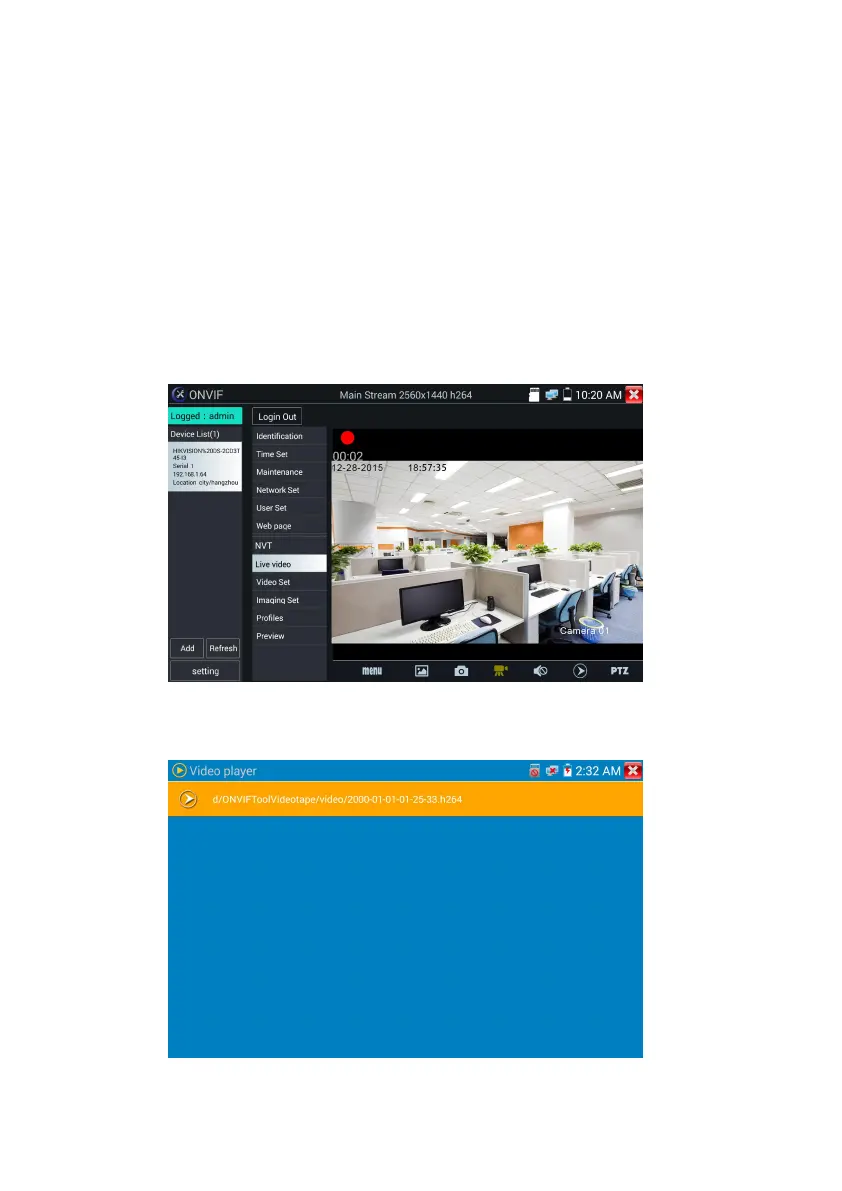
Click bottom “snapshot” to screenshot the image and store it to SD card.
if select manual storage, appears dialog box “Input Name” , user-defined the files name(by Chinese
character, English letter ,or digit ) to save in SD card, if select “Auto- storage”,the tester auto stores the
files after snapshot.
Record:When you click bottom the “Record” icon, video starts recording. A red recording icon appears
on the screen and begins to flash and a timer appears indicating the time elapsed for the video. Click on
the “Stop” icon to stop recording and save the video file to the SD card.
Playback:Click the “Playback” icon to view saved videos. Double click the video you want to play.
Click to return to the last menu.


 To Next Page