EN EN
15
CDV-T5
2EASY 2-wire Touchscreen Video Door Station
7. Password
• Disable code unlock: When enabled, users won’t be able to unlock with a password.
• Change public unlock: Enter current public unlock password, then enter the new
password twice (4digits).
• Default public unlock password: 1234
8. Monitor Manage
This setting includes important settings:
• Namelist and name change
• Private password
• Call numbers
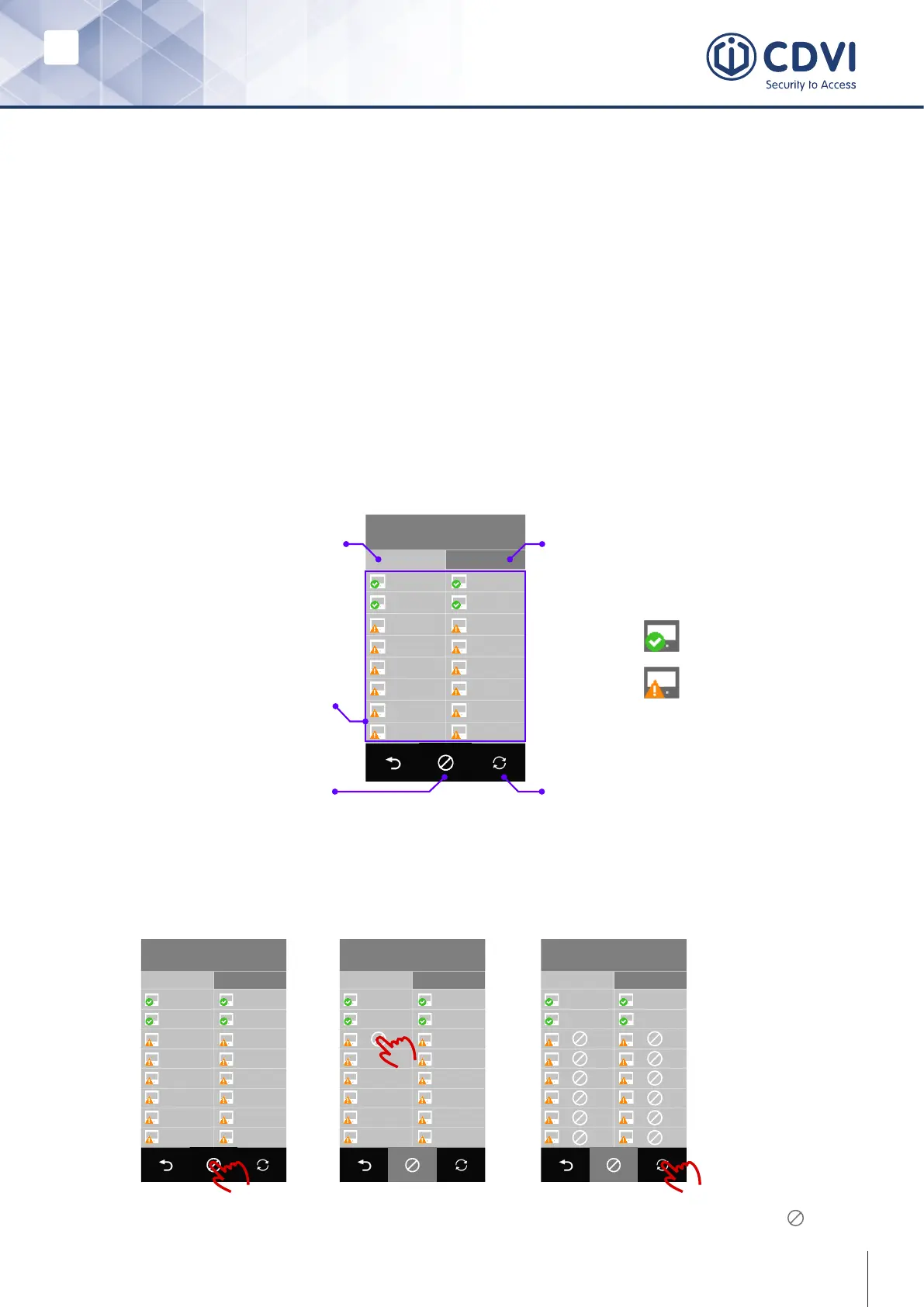
After getting into the monitor manage menu, T5 displays as below:
IM Manage
1-16
01 1 02 2
03 3 04 4
05 5 06 6
07 7 08 8
09 9 10 10
12 1211 11
13 13 14 14
15 15 16 16
Display monitor 1 to 16
Monitor list
Disable or enable monitors Flash monitors’ status
Display monitor 17 to 32
17-32
Monitor connected
Monitor ofine
By default, all 32 monitors will be listed. To remove the monitor from the list follow the
steps below:
IM Manage
1-16
01 1 02 2
03 3 04 4
05 5 06 6
07 7 08 8
09 9 10 10
12 1211 11
13 13 14 14
15 15 16 16
17-32
IM Manage
1-16
01 1 02 2
03 3 04 4
05 5 06 6
07 7 08 8
09 9 10 10
12 1211 11
13 13 14 14
15 15 16 16
17-32
IM Manage
1-16
01 1 02 2
03 3 04 4
05 5 06 6
07 7 08 8
09 9 10 10
12 1211 11
13 13 14 14
15 15 16 16
17-32
To enable removed monitors, follow the same procedure: tap the icon and tap on the
monitor that has been removed.
Remove or enable monitors from the namelist



 To Next Page