EN EN
14
CDV-T5
2EASY 2-wire Touchscreen Video Door Station
6. Installer Password
Change installer password.
Input current installer password -> Input new password twice.
Default installer password: 66666666
Sub-menu Description
Screen brightness
TFT screen illumination level
Auto call in timing
The maximum waiting time to call without a tap to conrm. (keypad calling)
Auto call min digit
The minimum digit input to call without a tap to conrm. (keypad calling)
Auto call max digit
The maximum digit input to call directly. (keypad calling)
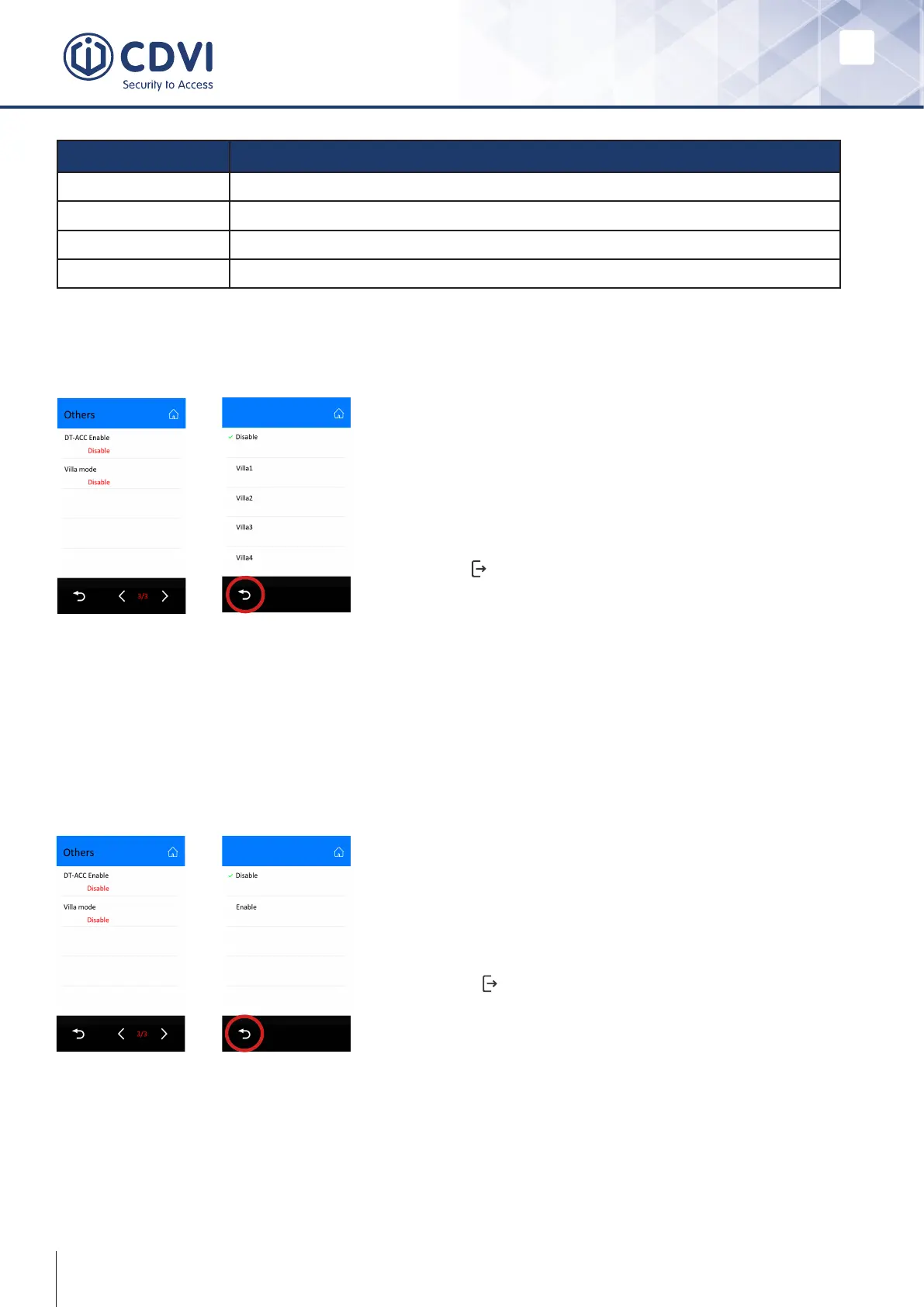
The Villa Mode enables one-touch setup of 1 to 4 named buttons on the display.
Setting the ACC mode allows card data to be extracted from the bus to a standard
Wiegand reader port of an ACU, such as CDVI’s ATRIUM system.
Note: The built-in reader is dual-technology for 125Khz Proximity Cards and 13.56Mhz
for MIFARE® Classic.
Villa Mode
Switching Access Card Output
To set this mode enter the ‘Other Settings’ menu:
• Navigate to the end of the menu and select Villa
Mode.
• Select Villa 1, Villa 2, Villa 3 or Villa 4.
• Press back.
• Press to leave Installer Mode and set the
display.
To set this mode enter the ‘Other Settings’ menu:
• Navigate to the end of the menu.
• Select DT-ACC and set to enabled.
• Press back
• Press to leave Installer Mode and set the
display.



 To Next Page