2 EASY
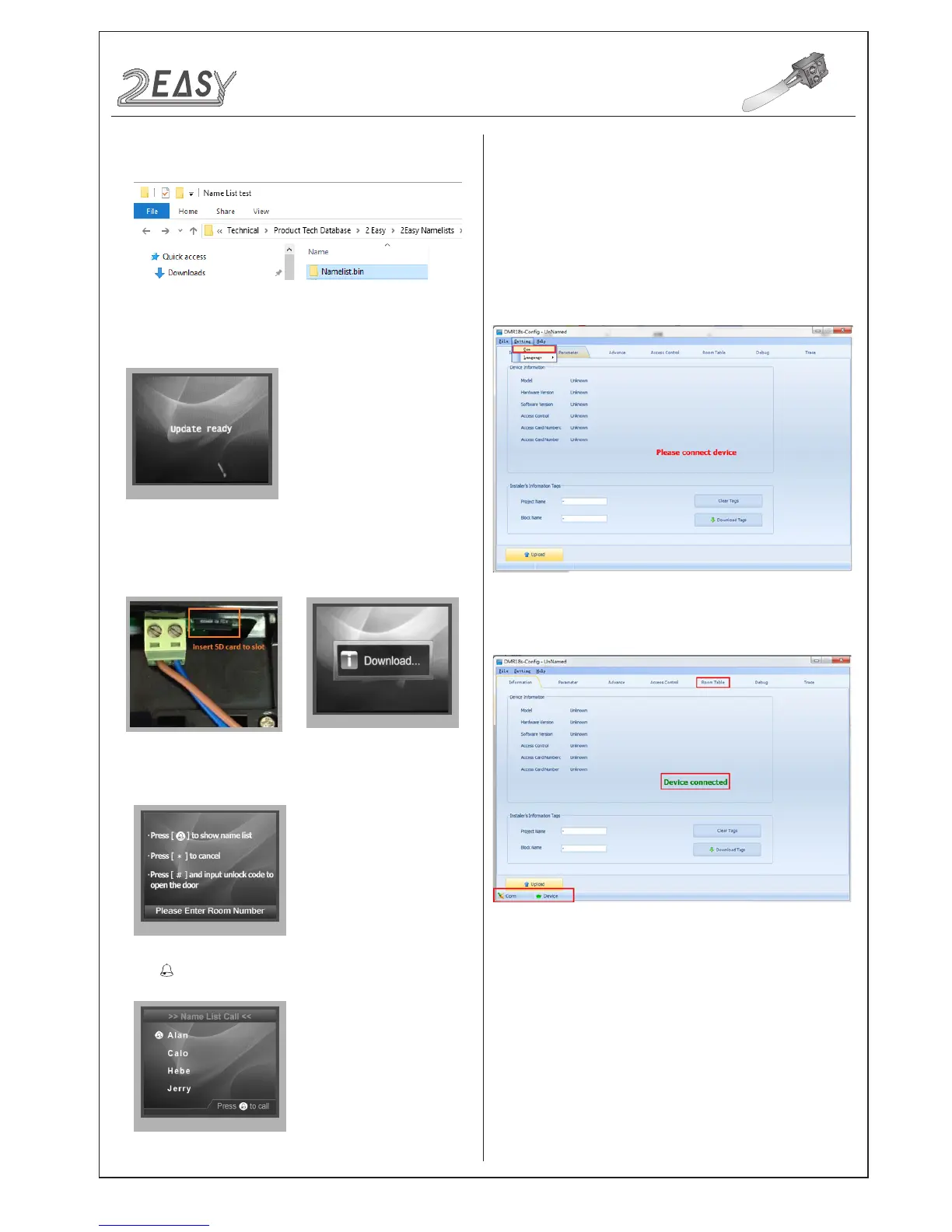
3. Copy the Namelist le to SD card by computer.
7. Press touch button to show the Name list
3. Then click “Insert” to create the rst item.
Address:
Monitor’s address (can be nd in “about”);
Name:
The name of resident;
CONFIGURATION
System Update
4. Select 4 to enter
Namelist update
,the screen will show
'Update Ready'.
5. Insert the SD card into the slot shown below, “Download...” will
be displayed when the updated is in progress. After 3 seconds,
a long sound “BEEP” will be heard to start the update.
6. When update is nished, it will return to
Standby Mode.
CDV-Cong software is to enable parameter setting of the
CDV-DDP, i.e. namelist setting etc.
The CDV-Cong software operation is as follows:
1. Open the “CDV-Config” software, connnect the CDV-DDP to
a PC via USB-RS-485; Click “Setting” on the menu bar, then click
Com to select the correct Com port.(Com port information can be
found in “ My Computer -> Properties ->Device Manage->Ports”)
2. Then if the CDV-DDP is connected to a PC successfully, “Device
connected” will be shown. Click “Room Table” tab to edit Name list.)
Each item has 5 different properties:
User Code:
The number used to call the monitor;
Router:
Sets the BDU address when in Router mode;
Gateway:
Sets the BDU address when in Gateway Mode.
2) Namelist update by CDV-Cong
-14- DMR18S Technical Menu



 To Next Page