*Cancel
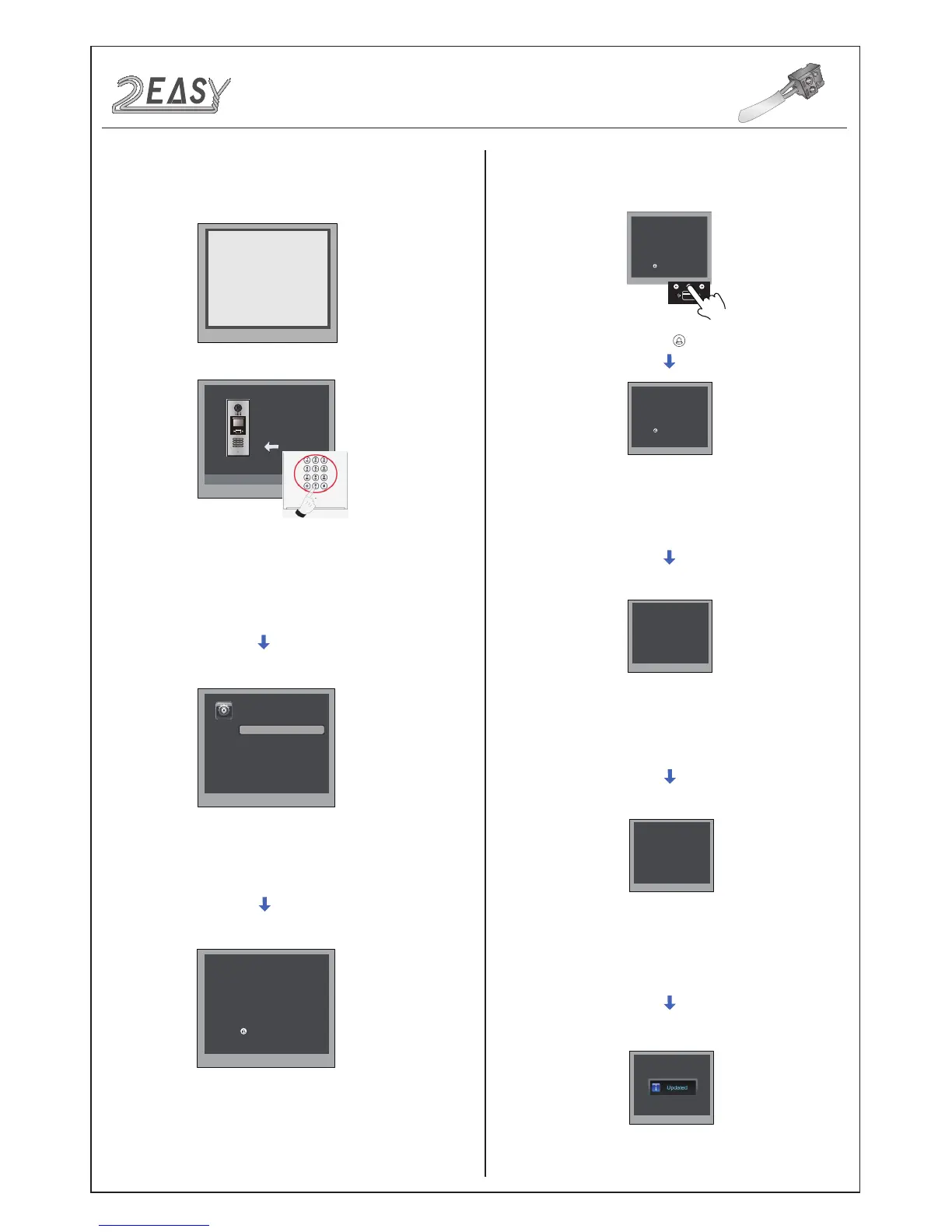
Long press[ ] to enter private code setting
[ - - - - ]
( * * * *)
# Save
1. Language [1]
4. Unlock Code[1111]
Input 4 digits number, then press
“#” to update.
Press “4” to enter unlock code
item.
Press “#”,Input “8002”, then
input Setup Code or Admin
Code (88888888 or 66666666
by default)
4.Unlock Code:
Select 4 to enter
Unlock Code
setting page,
1111 is the default unlock code. Input 4 digit numbers to set a
new code(Except for 8001~8019 and 9008).
At this point a private unlock code can be set, follow the steps below:
Long press[ ] to enter private code setting
# Save
*Cancel
4. Unlock Code [---] [----]
4. Unlock Code
*Cancel
# Save
# Save
# Save
*Cancel
*Cancel
Input setting code
(001~300), then
press “#“ to save.
Input room number,
then press “#“ to save.
Input new password,
then press “#“ to save.
-6- DMR18S Technical Menu



 To Next Page