EN
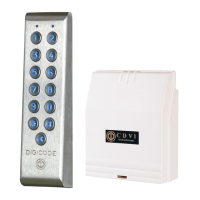
PROFIL100EC
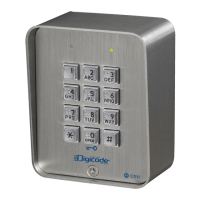
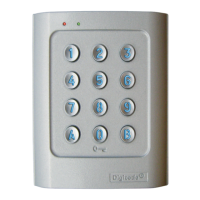
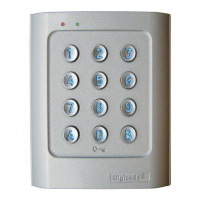
Keypad PROFIL100EC
6 cdvigroup.com
C. Changing the master code
The master code is used only
to enter in programming mode.
1. Enter the master code twice
(1 2 3 4 5 defaultvaluemastercode).
2beepsareemittedtoconrmentry
in programming mode.
2. Press A5 to modify the master code.
- One beep is emitted.
- Enter the new 4, 5 or 6-digits master code.
-Onebeepisemittedtoconrm
that the master code is programmed.
3. Press B to exit from
the programming mode.
2beepsareemittedtoconrmthatthe
keypad is in stand-by operating mode.
D.
Adding, changing or
deleting a user code
User location 00 to 59 is relay 1
User location 60 to 99 is relay 2
1. Enter the master code twice
(1 2 3 4 5 defaultvaluemastercode).
2beepsareemittedtoconrmentry
in programming mode.
2. To add a user code, enter the user
location (from 00 to 99).
Iftheuserlocationisused4beeps
are emitted, enter the 4, 5 or 6-digits
user code.
3. To Change a User code enter
the user location.
- 4 beeps are emitted to indicate that
the user location is already programmed.
- Enter a new 4, 5 or 6-digits code.
-Abeepisemittedtoconrmthenew
user code.
4. To delete a User code enter
the user location.
- 4 beeps are emitted.
- Press 0 as many times as digits
in the user code.
( ex. 0 0 0 0 0 in 5-digits length code )
-Abeepisemittedtoconrmtheuser
code has been deleted.
Note:
If the Pin code is already programmed or is
identical to the master code, then 4 beeps are
emitted. Press B to exit from the programming
mode. 2 beeps are emitted to conrm that the
keypad is in stand-by operating mode.
E. Time outputs
This section allows to program
the illumination time and the Relay
activation time.
1. Enter the master code twice
(1 2 3 4 5 defaultvaluemastercode).
2beepsareemittedtoconrmentry
in programming mode.
2. Press A0 to program the key-in
keypad time and the keys lit time.
-1 beep is emitted.
- Enter the time in seconds with 2 digits – 10
for 10 seconds up to 99 for 99 seconds.
Thebacklightingdimsafter10secondsafter
thelastkeypressorswitchesoffafter
entering a valid code.
- Press 00forpermanentilluminationkeys.
- One beep is emitted to validate the time.
3. Press A1 to program relay 1
output time (door release time).
(Press A2 for relay 2).
- 1 beep is emitted.
- For a latched output enter the time
in seconds using 2 digits – 01 for 1 second
up to 99 for 99 seconds.
- Press 00foratoggledoutput.
- One beep is emitted to validate the time.
4. Press B to exit from
the programming mode.
2beepsareemittedtoconrmthatthe
keypad is in stand-by operating mode.
4 beeps indicate a data computing error.


 To Next Page