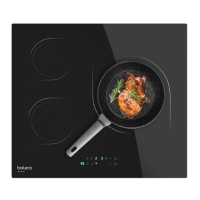
BOLERO SQUAD V 2001
56
ENGLISH
Warning
- Make sure the hob is clean: a dirty area does not transfer all the heat.
- Protect the hob against corrosion.
- Unplug the hob from the mains.
- Do not leave frying pans with fat and oil dishes unattended on the hob; hot fat can ignite
spontaneously.
Important
If your appliance is not working properly, please contact Cecotec.
6. TROUBLESHOOTING
PCB fault codes and solutions
- When a fault occurs on the PCB, the timer display on the screen always shows the fault
code, and all cooking zones that are heating stop heating, and automatically return to the
o state after 1 minute. For cooking zones that have been in operation, the corresponding
display continues to show the high temperature warning symbol . When the fault code
appears, refer to the following table for troubleshooting.
Error
codes
Type of error Solution
E1
The display board is not
receiving the signal from
the power supply board.
Failure of the communication line of the power
supply board or of the display may cause
communication anomalies.
Please contact the ocial Cecotec Technical
Support Service to replace the display board. If the
fault persists, the power supply board must be
replaced.
E2
The power supply board
does not receive the signal
from the display board.
E3 Power board relay failure.
Please contact the ocial Cecotec Technical
Support Service to replace the power board.
E4
1. Open circuit of the NTC
display board.
2. Short-circuit of the NTC
display board.
Please contact the ocial Cecotec Technical
Support Service to replace the display board.
E5
High temperature
protection on the display
board.
Replace the silicone insulating strip on the circuit
board rst.
If the fault persists, please contact the ocial
Cecotec Technical Support Service to replace the
display board.






 To Next Page