ENGLISH
24
4. OPERATION
1
2
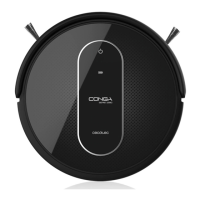
TOUCH DISPLAY
1. Power button
2. Battery indicator light
Note: on the robot and on the remote control has the same function.
1. ON/OFF
• Press to start the robot up.
• From the standby mode:
- Press to start auto cleaning mode.
- Press for 5 seconds to enter sleeping mode.
• During operation:
- Press to stop operation.
• During charging:
- Press to enter auto cleaning mode.
2. Battery indicator light
• The light will turn red when the battery is low.
• The light will switch from blue to red alternately during charging.
• The light will turn steady blue when it is totally charged.
BATTERY CHARGING
1. Charging base
• Place the charging base against the wall.
• Remove any obstacle from around the charging
base, following the safety distances shown on the
below picture:
• Always turn the robot’s power switch ON before
placing it on the charging base.
2. Connection
• a. Plug one of the adapter ends into the robot’s charging socket and the
other to the power supply. (Fig. a)
• b. While the charging base is connected to the power supply, press on
the remote control for the robot to automatically return to the charging base. (Fig. b).
Conga Serie 1290_Manual_GC.indd 24 25/7/18 7:37










 To Next Page