4140
ENGLISH ENGLISH
1. PARTS AND COMPONENTS
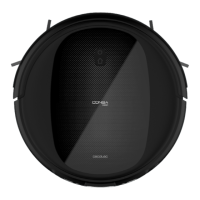
Wi-Fi connection indicator light
Fig. 1
1. Back home button
2. Indicator light
3. Power/operation button
Back home button
By pressing this button or selecting it in the app, the robot will automatically go to the charge
base.
Indicator light
- Steady orange light: Low battery.
- Oscillating orange light: Charging.
- Steady blue light: Fully charged/standby mode/cleaning.
- Oscillating red light: Error.
Power/operation button
- Hold down this button for a few seconds to turn the robot on or o.
- Press it to start cleaning too.
Fig. 2
4. Anti-collision sensor
Fig. 3
5. Free-fall sensors
6. Driving wheels
7. Power switch
8. Charging terminals
9. Omnidirectional wheels
10. Side brushes
11. Battery
12. Dust tank
13. Main brush
Fig. 4
Charging base
Fig. 5
Power adapter
Fig. 6
Dust tank
Fig. 7
Wet & dry tank
Fig. 8
Primary and high-eciency lters
Fig. 9
Brush
Fig. 10
Side brushes
Fig. 11
Main silicone brush
Fig. 12
2 mops
Fig. 13
Cleaning brush
Note
Conga 1090 Connected Force includes Velcro spare parts.
Fig. 14
14. Charge indicator
15. Signal transmitter
16. Charging terminals
2. BEFORE USE
- Take the product out of the box.
- Remove all packaging material. Save the original box.
- Make sure all parts and components are included and in good conditions. If any visible
signs of damage are observed, contact the Cecotec ocial Technical Support Service
immediately.











 To Next Page