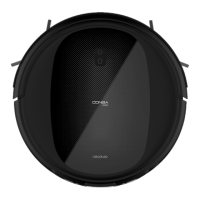
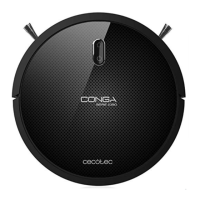
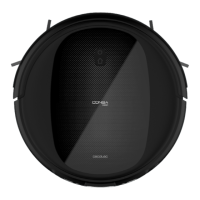
This document describes the Conga 1990 Ultimate robot vacuum cleaner, a device designed for automated floor cleaning.
Function Description
The Conga 1990 Ultimate is a robot vacuum cleaner capable of sweeping, vacuuming, mopping, and scrubbing floors. It features various cleaning modes, including Auto, Edge, Spiral, and Manual, to adapt to different cleaning needs and floor types. The device can be controlled via an app, allowing users to select cleaning modes, schedule cleaning times, and monitor the robot's status. It is equipped with sensors to detect obstacles, prevent falls, and navigate efficiently around furniture and other objects. The robot automatically returns to its charging base when its battery is low or after completing a cleaning cycle.
Important Technical Specifications
- Product Reference: 05693
- Voltage: 100-240 V ~ 50/60 Hz
- Battery: 14.4 V, 2600 mAh Li-ion
- Frequency Bands: 2.4 GHz
- Maximum Transmission Power: 17.5 dBm
- Dust Tank Capacity: Mixed tank (dust and water)
- Water Tank Capacity: Mixed tank (dust and water)
- Filter System: Primary filter and high-efficiency filter
- Sensors: Anti-collision sensors, free-fall sensors, proximity sensors, optical sensors
- Cleaning Modes: Auto, Edge, Spiral, Manual, Scrubbing, Room, Deep Cleaning
- Power Levels: Turbo, Normal, Eco
- Charging Time: Approximately 3-4 hours
- Operating Time: Up to 160 minutes (in Eco mode)
- Dimensions: Not specified in the provided text, but implied to be a compact, circular device.
- Weight: Not specified.
- Manufacturing: Designed in Spain, Manufactured in China.
Usage Features
The Conga 1990 Ultimate offers a user-friendly experience with multiple control options.
- Start/Pause Button: A single press initiates or pauses cleaning. Holding the button for a few seconds turns the robot on or off.
- Back Home Button: Pressing this button sends the robot back to its charging base.
- Indicator Lights:
- Orange (steady): Low battery/back home mode.
- Orange (flashing): Charging.
- Blue (steady): Fully charged/standby/mopping mode.
- Red (oscillating/steady): Error.
- App Control: The robot can be fully managed through a dedicated mobile application, allowing for remote control, cleaning mode selection, scheduling, and monitoring.
- Cleaning Modes:
- Auto Mode: The robot automatically cleans the entire surface.
- Edge Mode: Cleans along walls and around furniture.
- Spiral Mode: Cleans intensely in a specific area, moving in a spiral pattern.
- Room Mode: Cleans a specific room for 30 minutes.
- Scrubbing Mode: Attaches the mop tank and fills it with water for wet cleaning.
- Manual Mode: Allows the user to manually steer the robot using the app.
- Deep Cleaning: The robot performs an intense cleaning process.
- Power Levels: Users can select between Turbo, Normal, and Eco power levels to adjust suction power and battery consumption.
- Obstacle Detection: Anti-collision sensors prevent the robot from bumping into furniture and walls.
- Fall Prevention: Free-fall sensors prevent the robot from falling down stairs or other drops.
- Charging: The robot automatically returns to its charging base when the battery is low. It can also be manually sent back to the base.
- Mixed Tank: The device uses a mixed tank for both dust and water, simplifying the cleaning process for vacuuming and mopping.
- Virtual Walls: The robot can be prevented from entering certain areas using magnetic strips (virtual walls) or by setting up restricted zones in the app.
Maintenance Features
Regular maintenance is crucial for the optimal performance and longevity of the Conga 1990 Ultimate.
- Dust Tank and Water Tank Cleaning: The mixed tank should be emptied and cleaned regularly after each use. It is recommended to rinse the tank with water and allow it to air dry.
- Filter Cleaning: The primary filter and high-efficiency filter should be cleaned weekly. The high-efficiency filter can be cleaned with a small brush; it is not washable. The primary filter can be rinsed with water. Filters should be replaced periodically (every 160 hours for the high-efficiency filter).
- Side Brushes Cleaning: The side brushes should be cleaned weekly to remove hair and debris. They can be removed for thorough cleaning and should be replaced every 220 hours of use.
- Main Brush Cleaning: The main brush should be cleaned weekly to remove tangled hair and debris. It can be removed using the provided cleaning tool.
- Anti-collision Sensors Cleaning: The anti-collision sensors should be cleaned periodically with a clean, dry cloth to ensure proper functionality.
- Free-fall Sensors Cleaning: The free-fall sensors should be cleaned periodically with a clean, dry cloth to prevent navigation errors.
- Driving Wheels Cleaning: The driving wheels should be cleaned periodically to remove any accumulated dirt or hair.
- Charging Terminals Cleaning: The charging terminals on both the robot and the charging base should be cleaned with a dry cloth to ensure proper contact.
- Battery Maintenance: The Li-ion battery should be handled with care. If the robot will not be used for an extended period, the battery should be removed and stored in a cool, dry place. In case of liquid leakage from the battery, avoid contact and seek medical attention if contact occurs. Battery replacement should follow the instructions provided in the manual.
- Disposal: The device and its battery must be disposed of according to local environmental regulations, not as household waste.

 Need help?
 General








 To Next Page