6968
ENGLISH ENGLISH
The robot does not charge. Check if the charging base indicators are on.
If they are not, contact the ocial Technical
Support Service of Cecotec.
Clean the charging terminals with a dry cloth.
Check if the robot beeps when it gets to the
charging base. Otherwise, contact the ocial
Technical Support Service of Cecotec.
The robot does not return to the charging
base
Remove the objects 1 metre on the left and
right, and 2 metres in front of the charging
base.
The robot will return to the charging base
faster when it is near it. When it is far, it
will take more time to identify it. Clean the
charging terminals.
The main brush does not spin. Clean the main brush.
Check if the main brush is installed correctly.
The robot movements and route are unusual. Carefully clean the sensors with a dry cloth.
Restart the robot. To do so, turn it o and on.
Conga Home 2000
The LED indicator shows the product status on the front of the unit or on the APP:
LED indicator Common problem Solution
Orange oscillating
indicator light
Dirt bag missing,
fan does not start or
other faults
1. Check if the dirt bag is missing. If so, insert
one.
2. Check that the dirt bag is installed
correctly. 3. Frequent emptying may cause
overheating or fan failure. Wait 30 minutes
before starting a new emptying.
Dirt bag full or
blocked
1. Replace the dirt bag with a new one.
2. Make sure that the cover of the unit is
properly closed and sealed. If the robot
hoover is charging in the unit, you can
try turning the unit on to perform a self-
emptying. Follow these steps to initiate a
self-emptying manually: Press the power
button on the robot to start it. Then press
any button to pause the robot after it has
left the auto empty base. Press "Recharge"
on the robot to return it to the self-emptying
base. Automatic loading will start when auto
emptying is nished.
3. Remove dirt from the suction inlet at
the bottom of the robot and on the self-
emptying base.
4. Switch o the self-emptying base. Rotate
the unit to check if there is a blockage in
the transparent cover. If so, remove the
screws with a screwdriver. Then open the
transparent cover and remove the lock.
6. TECHNICAL SPECIFICATIONS
Model No.:05725
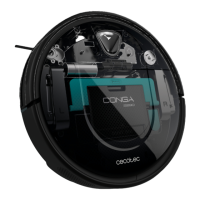
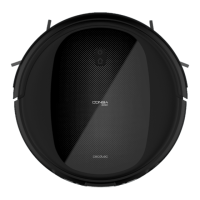
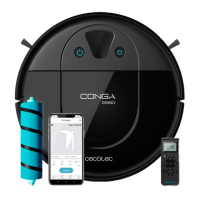
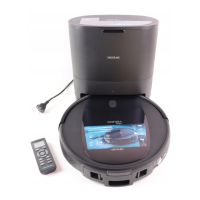
Product: Conga 2290 Ultra T
Input ratio: 19 V DC 0.6 A
Power: 40 W
Battery: 14.4 V DC, 2600 mAh Li-Ion
Frecuency band: 2400-2483.5MHz
Maximum transmission power: <= 20dBm
Made in China | Designed in Spain








 To Next Page