ENGLISH
26
Edge Mode
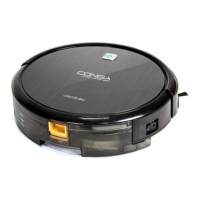
• This cleaning mode is used to clean corners. The robot cleans
along furniture, edges etc. Once it has nished cleaning, it returns
automatically to the initial position.
Scrubbing mode
• The robot includes a scrubbing function. After nishing vacuuming, the user can replace
the dust container with the water container, which works together with the moping cloth,
in order to continue mopping the oor.
1. Open the water-lling opening on the water tank and ll it with water.
2. Attach the mopping cloth to the water tank’s bottom part and make sure it is properly
xed.
3. Press the dust tank release button and remove.
Then, install the water tank into its correct position.
4. Press the water-drop button to activate this function.
The water intensity can be adjusted, choose between
Low, Medium or High.
5. Select the desired cleaning mode for the robot to clean
in the desired way.
Note: in order to ensure perfect scrubbing, moisten the mop
before starting scrubbing.
TIME SCHEDULING
For an easier cleaning, the robot can be scheduled from the remote control. In accordance with
the conguration, the robot will automatically start cleaning the selected days at the desired
time.
* The time options in the remote control are: 12:00 a. m. – 11:59 p.m. y 12:00 p.m. – 11:59 p.m.
* Before setting the time and the robot conguration, make the robot’s power switch is set on
“I” and that the AUTO button on the control panel is lit up in green/blue. If it is not turned on,









 To Next Page