76
ES
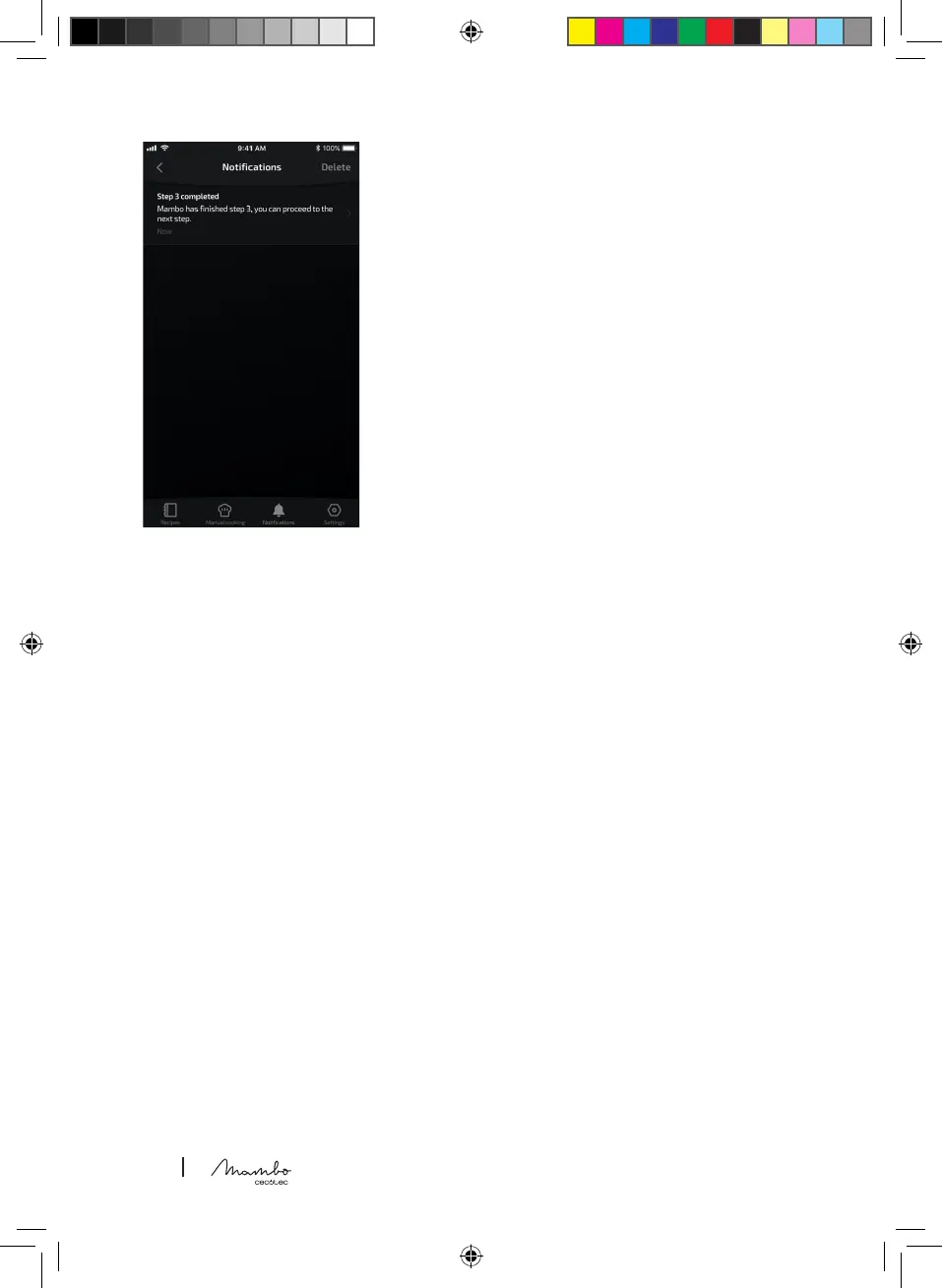
Pantalla noticaciones
- En esta pantalla podrá visualizar cuándo ha acabado un paso,
nalizado una receta o nalizado el cocinado manual.
- Le mostrará las noticaciones en esta pantalla y también podrá
activar las noticaciones para que le aparezcan en su teléfono,
accediendo a los ajustes de su teléfono.
EN
Notications display
- On this display you can see when a step, recipe or manual
cooking nishes.
- It will show notications and you will be able to activate
notications on your mobile phone by accessing the settings on
your phone.
FR
Écran notications
- Sur cet écran, vous pouvez voir quand vous avez terminé une
étape, une recette ou une cuisson manuelle.
- Il vous montrera les notications sur cet écran et vous
pouvez également activer l’afchage des notications sur votre
téléphone portable en allant dans les paramètres de votre
téléphone.
DE
Bildschirm “Benachrichtigungen
- Auf diesem Bildschirm können Sie sehen, wann Sie einen Schritt, ein Rezept oder das manuelle
Garen beendet haben.
- Auf diesem Bildschirm werden Ihnen Benachrichtigungen angezeigt. Sie können die Anzeige von
Benachrichtigungen auf Ihrem Telefon auch in den Einstellungen Ihres Telefons aktivieren.
IT
Display notiche
- Su questa schermata potrai visualizzare quando hai terminato un passaggio, nito una ricetta o la
cottura manuale.
- Verranno mostrate le notiche su questa schermata e potrai abilitare le notiche sul tuo telefono
mediante l’accesso alle impostazioni del tuo telefono.
PT
Ecrã de Noticações
- Neste ecrã pode ver quando tiver terminado uma etapa, terminado uma receita ou terminado a
cozedura manual.
- Irá mostrar-lhe noticações neste ecrã e pode também permitir que as noticações apareçam no
seu telefone, indo às denições do seu telefone.
NL
Scherm Noticaties
- Op dit scherm kunt u zien wanneer u klaar bent met een stap, met een recept of met handmatig
koken.
- Op dit scherm worden meldingen weergegeven en u kunt ook de meldingen op uw telefoon
inschakelen via de instellingen van uw telefoon.
PL
Ekran wiadomości
- Na tym ekranie można zobaczyć, kiedy dany krok się zakończył, przepis się skończył lub skończyło
się ręczne gotowanie.
- Wyświetli powiadomienia na tym ekranie, a także możesz aktywować powiadomienia, aby
pojawiały się na telefonie, uzyskując dostęp do ustawień telefonu.




 To Next Page