22
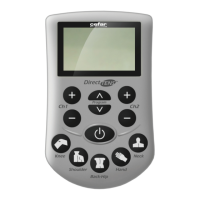
Direct TENS
™
4.2. Ending Therapy
The default setting of the Direct TENS™ device
is continuous operation. If you want to end the
therapy, switch o the device with the ON/OFF
switch.
When the therapy timer is activated, the device
switches automatically o at the end of the
programmed interval. The remaining time is
indicated at the top of the display.
Check that the Direct TENS™ stimulator is switched
o before you remove the electrodes.
• If the therapy timer is not activated, switch o the
Direct TENS™ stimulator with the ON/OFF switch.
• Remove the electrodes very carefully. Do not pull
on the leadwires, but on the electrode.
• Reattach the electrode to its protective paper. Be
sure to attach the electrode to the side marked
“on”, not to the side marked “no”.
• Disconnect the electrodes from the leadwire.
• Clean the skin with a mild soap solution.
• Electrodes no longer fit for use can be disposed
of with the normal domestic waste.


 To Next Page