30
EN
NewTom GO 2D/3D - TECHNICAL MANUAL
EN
PC CONFIGURATION
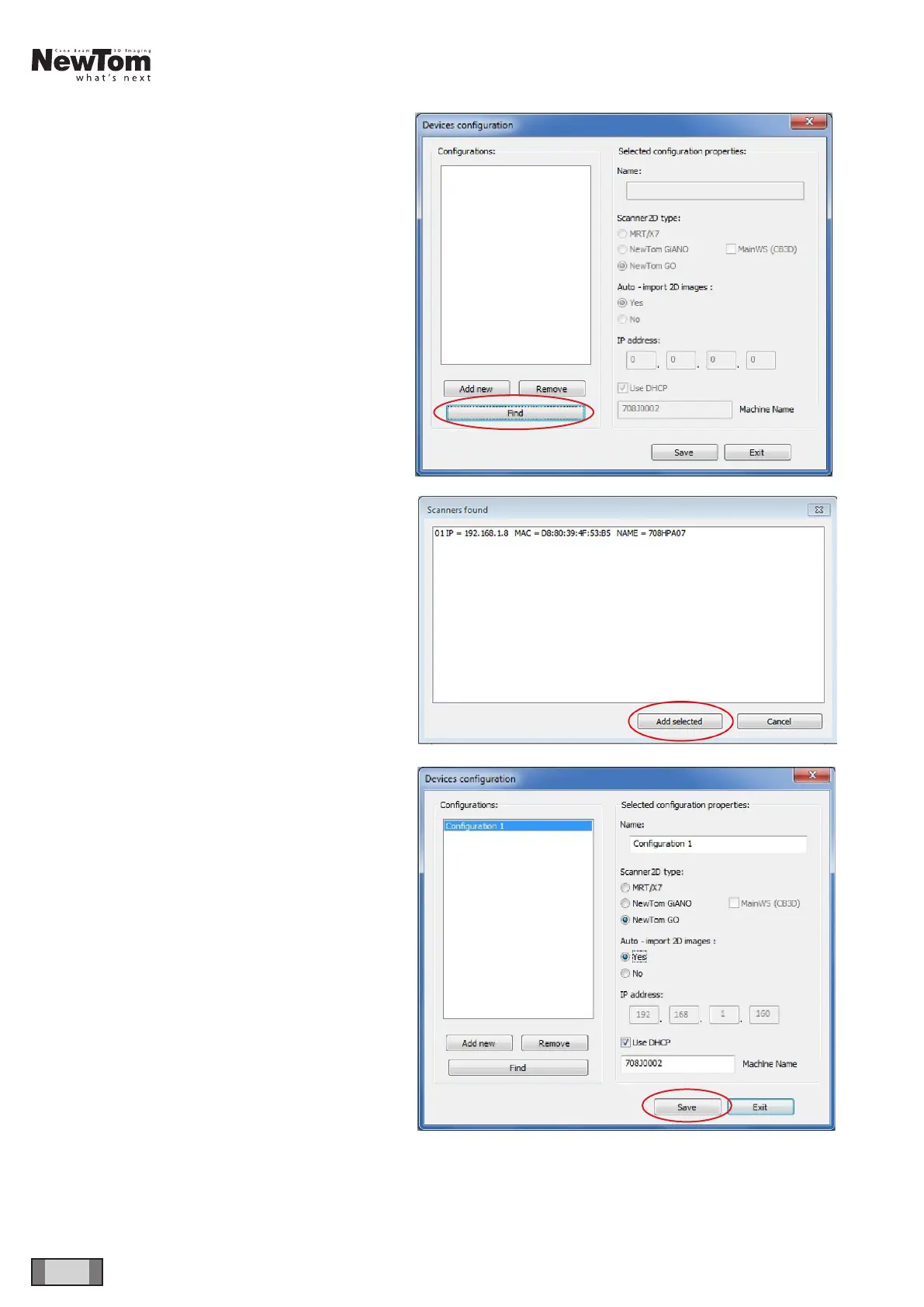
In “Service Mode”, press ALT+F10 and enter the
“12345” password. The window displayed in the gure
will open. Click on “Find”:
Select the device and click on “Add selected”.
Make sure that the settings are correct as displayed
in the gure (tick “MainWS”) and click on “Save” and
then on “Exit”.



 To Next Page