3
Before you start
00
It’s critical that you have at least 1 bar of usable signal outside or on the roof of the building
you’re installing the GO X in. If you don’t have 1 bar, or if you’re not sure, give us a call.
What do we mean by usable?
Well, you need to be able to place a call and use data reliably. When running a speed test,
you should have decent upload and download speeds.
Cell boosters bring signal inside from outdoors. If the signal outside your building isn’t
usable, the GO X isn’t going to help.
If you don’t have 1 bar of usable signal, we’re sorry, but there’s not much point in continuing.
Visit waveform.com/returns to set up a return. We’re happy to take your Cel-Fi Go X back
and try to help you nd a booster that might work.
Compatibility
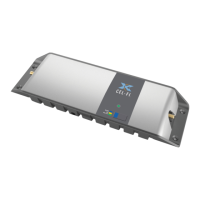
A quick note on compatibility. The Cel-Fi GO X is compatible with:
AT&T 3G and LTE signal on Bands 2, 4, 5, 12, and 66
T-Mobile 3G and LTE signal on Bands 2, 4, 5, 12, and 66
Verizon LTE signal on Bands 2, 4, 5, 13, and 66
Verizon 2G/3G signal
Worried about 5G? Cel-Fi has promised to push a rmware update that will allow
compatibility with 5G on the bands listed above.
The lack of Verizon 2G/3G compatibility isn’t a big deal. As long as you have LTE signal
available in your area to boost, you should be ne. Most phones released after 2014 support
“HD Voice” – also known as “Voice over LTE” (VoLTE). VoLTE is usually enabled by default. For
example, all iPhones released since 2014, starting with the iPhone 6, support VoLTE.


 To Next Page