EasyManua.ls Logo

CEL-FI DUO+ - User Manual

CEL-FI DUO+
4 pages
Print Icon
To Next Page IconTo Next Page
Loading...
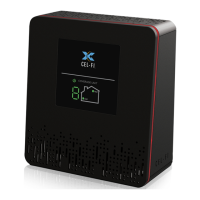
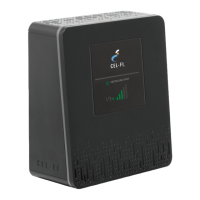
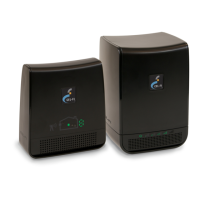
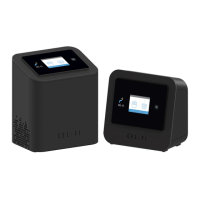
NETWORK UNIT COVERAGE UNIT
A true plug-and-play system that doesn’t require the installation of antennas
or cables.
To use this product you need:
• An LTE compatible mobile phone with qualifying LTE service
An area inside your home that receives at least one bar of 4G LTE
coverage
• Power Outlets
In this package you will nd:
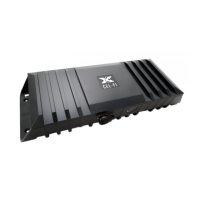
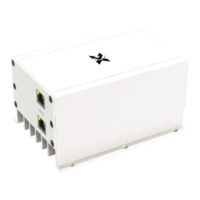
• Network Unit
• Coverage Unit
• Two Power Adapters
• Two Mounting Brackets with hardware
Cel-Fi DUO+ Smart Signal Booster
Quick Start Guide
Cel-Fi
DUO+
Cel-Fi WAVE is an application available on both smartphones and desktop
computers that allows users to interact with Cel-Fi, to access advanced and
supplementary features.
Upon purchase and receipt of your device, make sure to register with your
carrier. This is a quick and easy process. Use the link below to register your
Smart Signal Booster:
www.verizonwireless.com/solutions-and-services/
accessories/register-signal-booster
Copyright © 2017 by Nextivity, Inc, U.S. Patents pending. All rights reserved. The Nextivity
and Cel-Fi logos are registered trademarks of Nextivity Inc. All other trademarks or registered
trademarks listed belong to their respective owners. Designed by Nextivity Inc in California.
qsg_DUO-Plus-LTE_17-0227
Dashboard:
Glance-able view to the state of your Cel-Fi
environment.
Settings:
Change the default Operator, setup an external
antenna, name your Smart Signal Booster, and
more.
Advanced Mode:
Get a real-time technical overview of the installation
of your Cel-Fi Smart Signal Booster.
Booster Updates:
Keep your Cel-Fi Smart Signal Booster up-to-date
as new software versions become available.
For more information, and software, go to:
www.cel-.com/wave
Get More from Cel-Fi WAVE
Register

Questions and Answers

Summary

Cel-Fi WAVE Features

Cel-Fi WAVE Application Overview

An application for smartphones and desktop computers to interact with Cel-Fi for advanced features.

Dashboard Functionality

Provides a glance-able view of your Cel-Fi environment's state.

Settings Configuration Options

Allows changing operator, setting up external antenna, and naming your Smart Signal Booster.

Advanced Mode for Technical Overview

Offers a real-time technical overview of the Cel-Fi Smart Signal Booster installation.

Booster Software Updates

Ensures your Cel-Fi Smart Signal Booster is up-to-date with new software versions.

Cel-Fi DUO+ Smart Signal Booster Setup

Product Description and Requirements

A plug-and-play system requiring no external antennas or cables for installation.

System Requirements

Requires an LTE compatible mobile phone with qualifying LTE service and 4G LTE coverage.

Package Contents

Includes Network Unit, Coverage Unit, two power adapters, and two mounting brackets.

Device Registration Process

Register your device with your carrier via the provided link for a quick and easy process.

Cel-Fi DUO+ Installation Steps

Finding Optimal Location for Network Unit

Identify the area with the strongest mobile network signal, typically near a window.

Connecting the Network Unit

Plug the Network Unit into an accessible outlet in a strong signal area.

Optimizing Network Unit Placement

Adjust Network Unit position to maximize mobile network signal strength.

Placing the Coverage Unit

Position the Coverage Unit away from the Network Unit for optimal signal distribution.

Optimizing Coverage Unit Placement

Move the Coverage Unit to achieve a display of 8 or 9 for the best service.

Mounting Instructions

Drilling and Anchor Installation

Drill guide holes for anchors using a 3/16" drill bit as marked.

Installing Mounting Bracket

Securely install the mounting bracket to the wall.

Attaching Cel-Fi Unit to Bracket

Attach the Cel-Fi Unit to the wall-mounted bracket using the designated hooks.

Environmental Placement Guidelines

Keep both units indoors in a dry, cool, well-ventilated area.

Troubleshooting Cel-Fi DUO+

Network Unit Power and Signal Issues

Diagnose issues related to no power, red power indicator, or no 4G LTE signal.

Coverage Unit Display and Connection Issues

Troubleshoot no lights, red power indicator, or cycling display on the Coverage Unit.

Performance and Coverage Area Issues

Address scenarios where the boosted signal is only in a small area.

Error Message Codes and Solutions

Interpret error codes like E1, E3-E5, E7-E9 for specific troubleshooting steps.

CEL-FI DUO+ Specifications

General IconGeneral
ModelCEL-FI DUO+
CategoryExtender
TypeCellular Signal Booster
Coverage AreaUp to 15, 000 sq ft
Max Gain100 dB
Power SupplyAC adapter
Frequency Bands700 MHz, 850 MHz, 1900 MHz, 2100 MHz
Uplink Gainup to 100 dB
Downlink Gainup to 100 dB
Operating Temperature-4°F to 158°F

Related product manuals