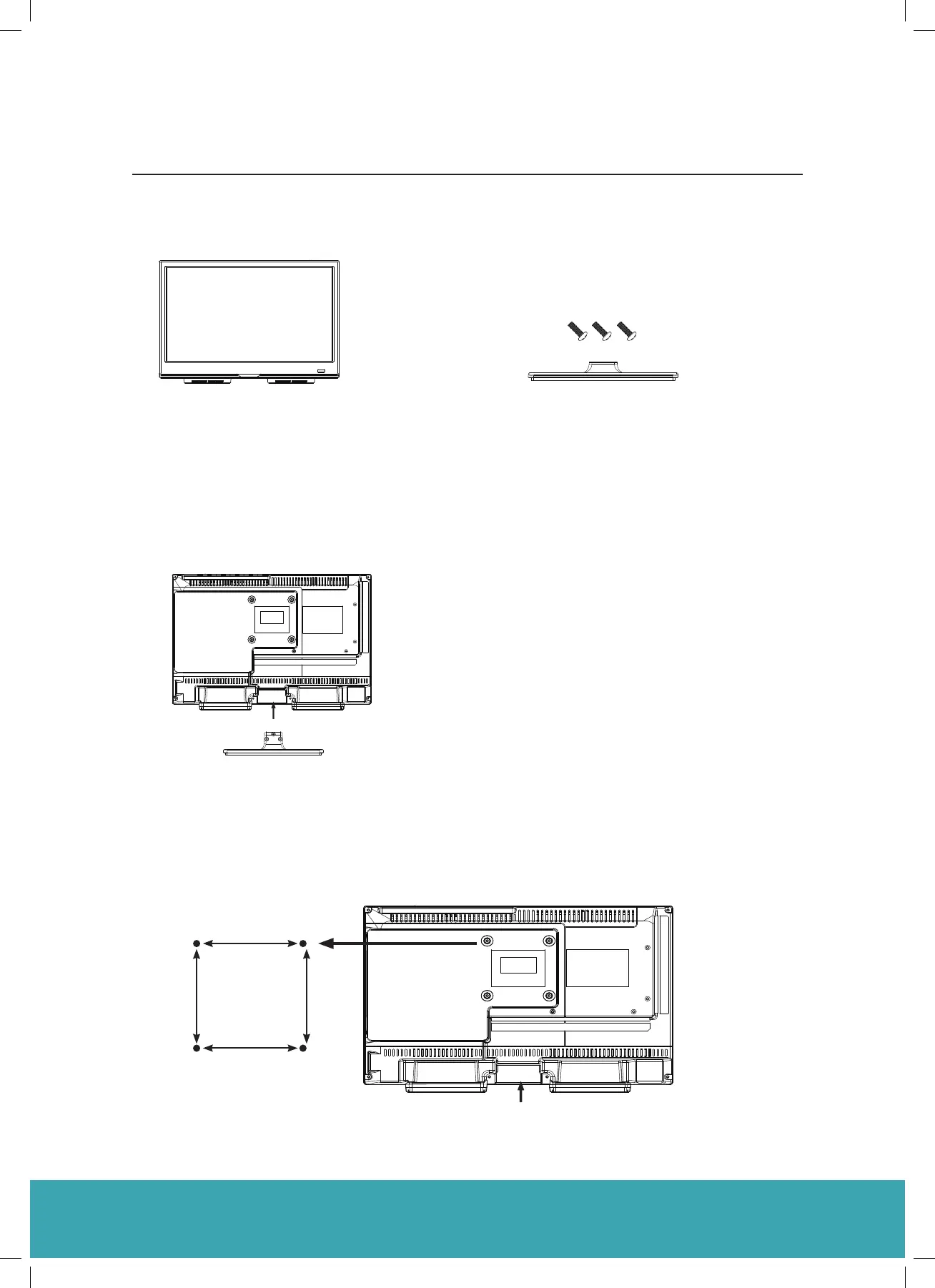
The parts
Installation
Place the TV face down on a soft and flat surface (blanket, foam, cloth, etc.) to prevent any damage to the TV.
TV set
75 x 75
2
Stand& Screws(ST4 x 10)
Attach the stand feet in the positions shown
and secure them
75mm
75mm
Four mounting holes
Screw si e M4 x 8
The parts
Installation
Place the TV face down on a soft and flat surface (blanket, foam, cloth, etc.) to prevent any damage to the TV.
TV set
75 x 75
2
Stand& Screws(ST4 x 10)
Attach the stand feet in the positions shown
and secure them
75mm
75mm
Four mounting holes
Screw si e M4 x 8
Installing / Removing the Base Stand
The Parts
Installation
Place the TV face down on a soft and flat surface (blanket, foam, cloth, etc.) to prevent any damage to the TV.
TV Set
Attach the stand feet in the positions shown and secure them
The Unit is VESA-Compliant and designed to be wall mounted with a VESA-Compliant
75x75 mm mounting kit.
Mount this unit according to the instructions of the wall bracket (not supplied)
Stand& Screws(ST4 x 10)
The parts
Installation
Place the TV face down on a soft and flat surface (blanket, foam, cloth, etc.) to prevent any damage to the TV.
TV set
Attach the stand feet in the positions shown
and secure them
75mm
Four Mounting Holes
Screw si e M4 x 8
75mm
Instruction Book
2



 To Next Page