C2224SH Instruction Book
17
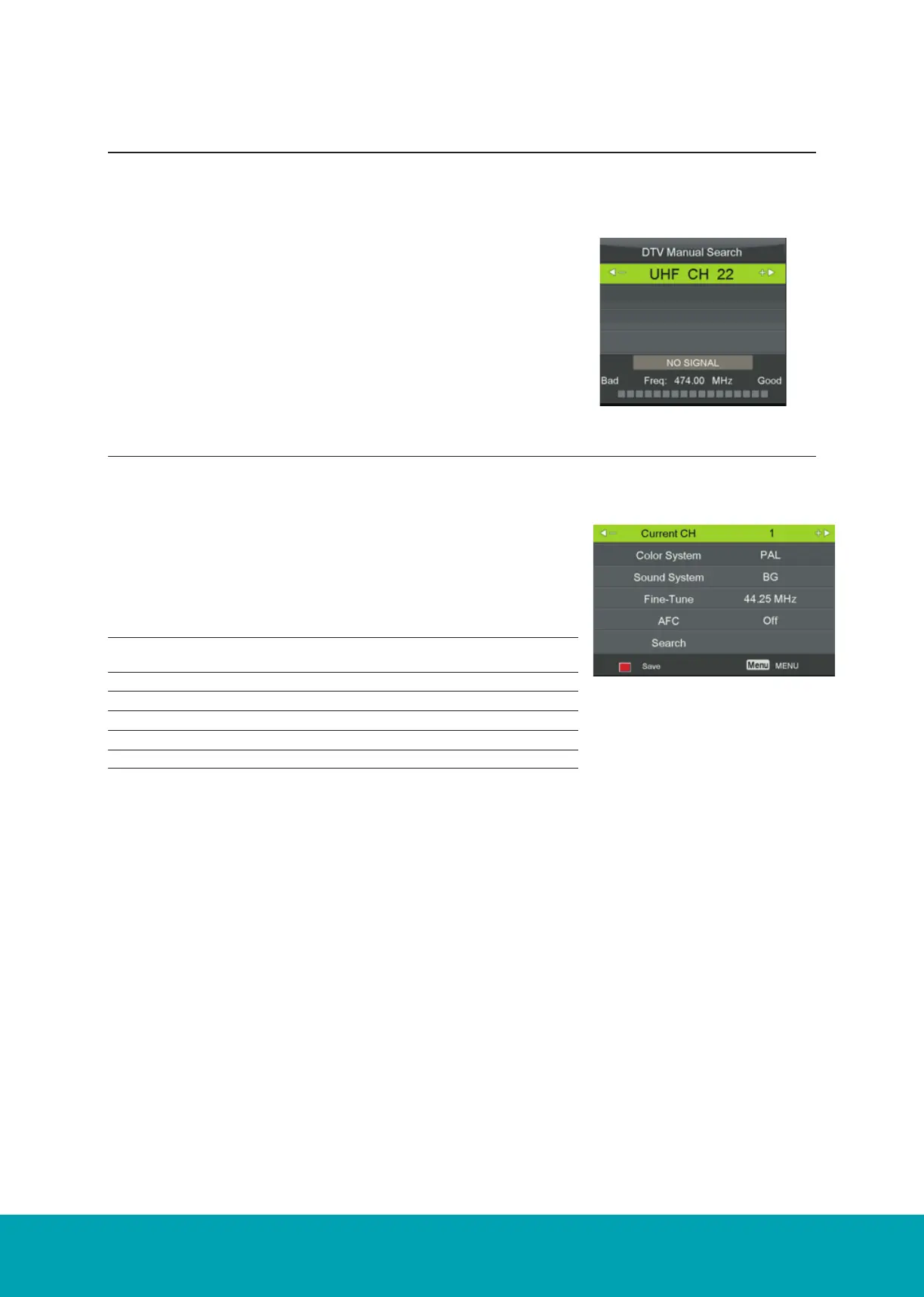
1. Press the ▲▼ buttons to ATV Manual Tuning then press the OK
button to confirm.
2. Select ATV manual search item to enter air channel manual
search in ATV source and the user operation interface as following
3. Press the Menu button to return back to the main menu.
4. Press the Exit button to exit the menu.
Channel Setting (ATV, DTV or Radio Mode)
DVB - T Manual tuning
ATV Manual tuning
How to search Digital Channels manually.
To search analogue channel by entering parameters manually.
1. Select DVB-T Manual Tuning, press the OK button to confirm.
2. Select a channel number by pressing the ► button or by using
the number buttons on the remote control. The strength and
quality of the signal indicaiton bars are below.
3. Select Start to begin the search.
4. To exit the tuning menu press EXIT.
17
DVB-T Manual Tuning
1. Select DVB-T Manual Tuning, press the OK button to confirm.
Storage To 1 Press the buttons to change the numbered location of
the found channel.
ATV Manual Tuning
ATV Manual Tuning
17
DVB-T Manual Tuning
1. Select DVB-T Manual Tuning, press the OK button to confirm.
Storage To 1 Press the buttons to change the numbered location of
the found channel.
ATV Manual Tuning
ATV Manual Tuning
Storage To 1 Press the ◄► buttons to change teh numbered location of the
found channel.
Sound System Selects the sound system: BG / DK / I / L / L’.
Color System Selects the color system: Auto / SECAM / PAL.
Current Channel Displays the current channel number.
Search Press ◄► buttons to start the manual training.
Fine-Tune Press ◄► buttons to make manual fine tuning adjustments.



 To Next Page