C2224SH Instruction Book
18
Channel Setting (TV, DTV or Radio Mode)
Satellite Edit
Satellite List
Satellite Edit
1. If you do not have a fixed dish aligned to Astra 19.2E
fitted with universal LNB you will need to use this
section.
2. If you have a fixed Dish aligned to a different Satel-
lite or with a different LNB you will need to use this
section.
3. If you have a motorised Dish with a DiSEqc rotator
and wish to tune more than one satellite you will need
this section.
4. If you are on a DiSEqC switch system you will need
this section.
The first 2 installations can be done by most people so
long as you know what satellite your dish is aligned with
and what type of LNB it is fitted with.
Installation of 3 & 4 require experienced user or engineer.
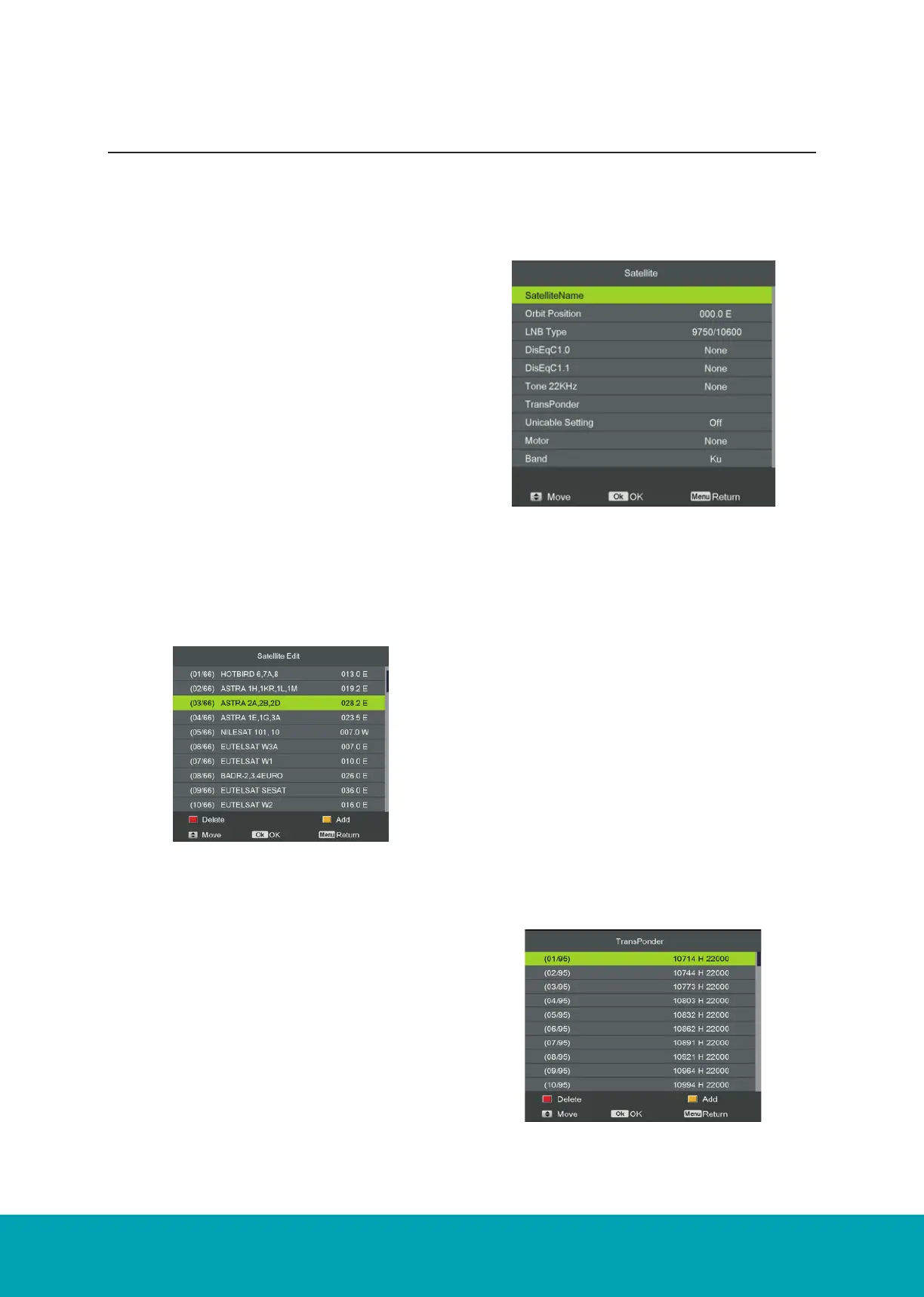
Satellite name: Press the OK button to open the edit menu as
below image.
Press the number buttons on the remote to edit the name.
Orbit Position: Press the number buttons to edit longitude angle
and press LEFT / RIGHT button to change longitude direction.
LNB type: LNB Frequency
DiSEqC1.0: 4 select 1 switch (Require the user device support
DiSEqC 1.0 protocol). Press ◄► to select LNB1/LNB2/LNB3/
LNB4/None.
LNB1/LNB2/LNB3/LNB4/: Corresponding to a satellite, after
selecting the corresponding list will appear in the satellite list.
DiSEqC1.1: 16 select 1 switch (Require the user device support
DiSEqC1.0 protocol) Equipment needs support DiSEqC 1.1
protocol, most control 16 ↑LNB. Press ◄► to select LNB1 ~
LNB16None.
LNB 1-LNB 16: Correspinding to a satellite, after selecting the
corresponding list will appear in the satellite list.
Tone 22KHz: The level of the LO switch/DS switch (Require the
user to have installed 22KHz Satellite signal switch). Press ◄►
to select Auto/On/Off.
Transponder: Press OK button to edit the transponder.
The Satellite list displays the satellite names.
No. The current list number of the selected satellite Satellite
name. The No. cannot be edited.



 To Next Page