11
1920x1080.
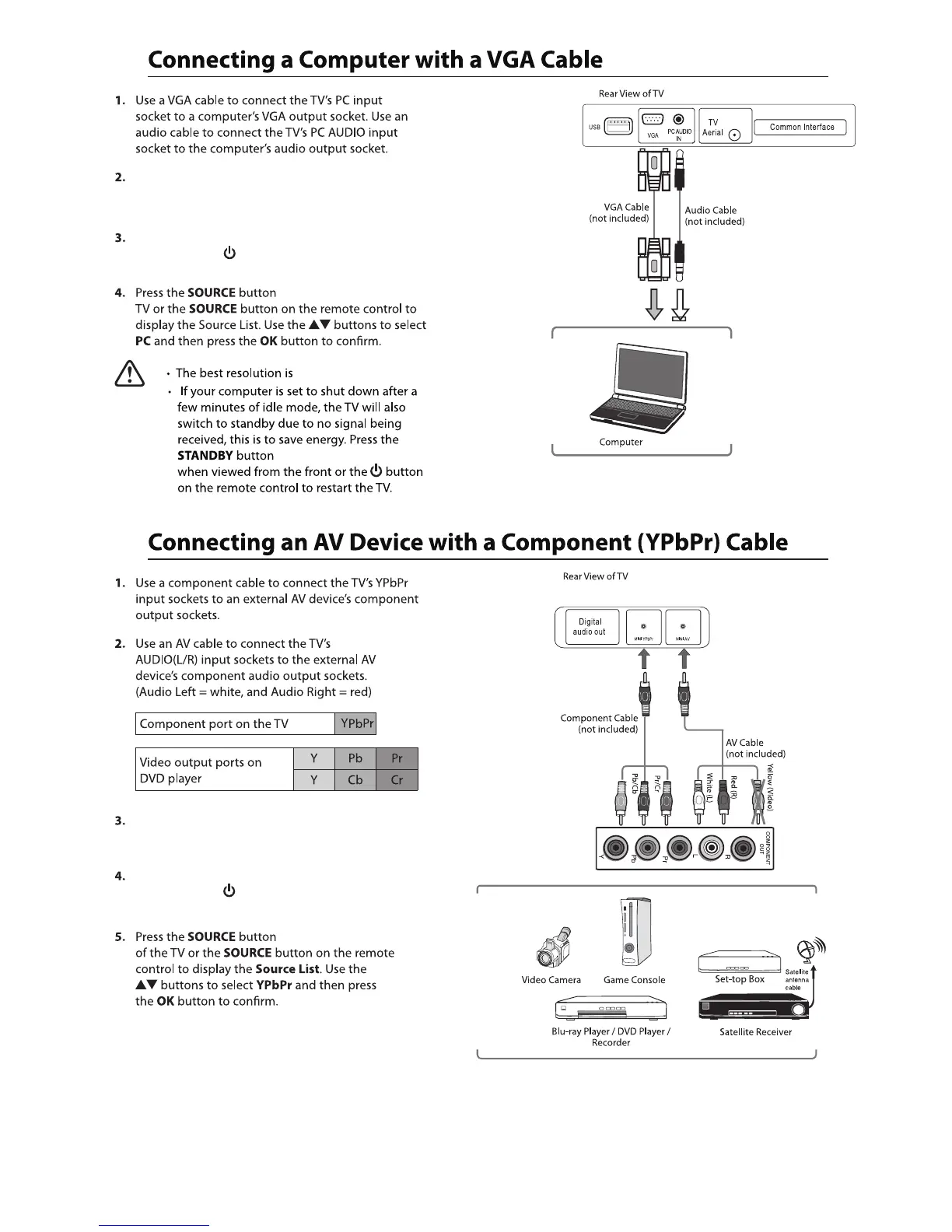
Plug the connected devices into the mains socket before
powering on the TV.
Press the STANDBY button on the right hand side rear
of the TV or the button on the remote control to
turn on your TV.
Plug the connected devices into the mains socket before
powering on the TV.
Press the STANDBY button on the right hand side rear
of the TV or the button on the remote control to
turn on your TV.
on the right hand rear of the
on the right hand rear of the TV
on the right hand rear



 To Next Page