21
MENU
Enter
Return
Move
ok
OK
Exi
t
Exit
Channel/Favorite Manager
No.
Program Name
0002
0003
0004
0005
0006
0007
0008
0009
Fav4Fav3
Fav2Fav1
0001
Fav1 Fav2 Fav3
Fav4
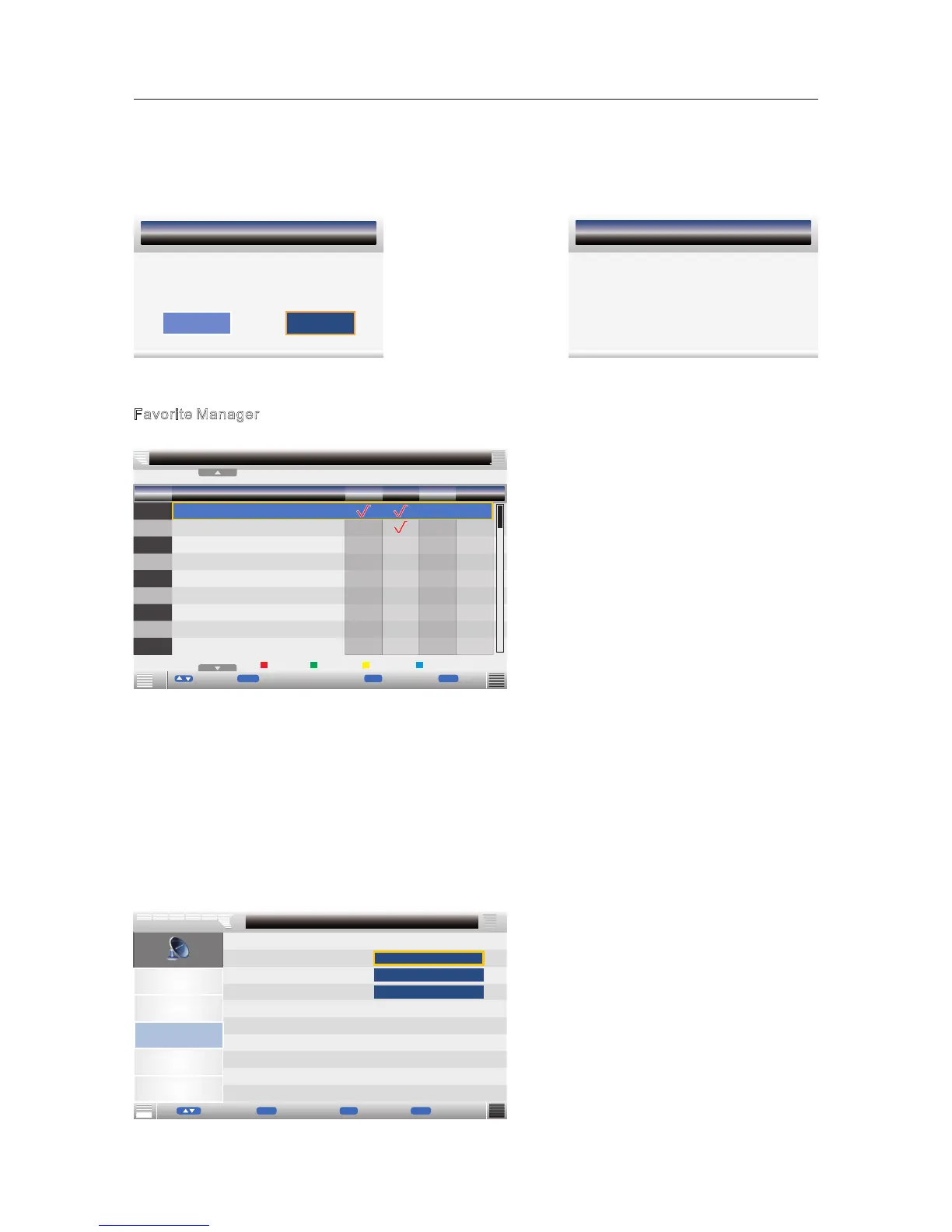
Favorite Manager
Press ▼ / ▲ button to select Favorite Manager, then press OK button or ► button to enter.
Press ▼/▲ button to select Channel, press red button to set to Fav1.
Press ▼/▲ button to select Channel, press green button to set to Fav2.
Press ▼/▲ button to select Channel, press yellow button to set to Fav3.
Press ▼/▲ button to select Channel, press blue button to set Fav4.
Press MENU button or EXIT button, the successfully updated menu will appear.
Country
Press ▼/▲ button to select Country, then press OK button or ► button to enter and press ▼/▲
butto
n to adjust.
Auto Search
Press ▼/▲ button to select Auto Search, then press OK button or ► button to enter.
If the current channel alread
y be one of your favorite channel, press red / green / yellow / blue
button again will set it to a normal channel.
Picture
Sound
Channel
Feature
Setup
All
Channel -Auto Search
ENTER
Exit
Menu
Exit ReturnMove
Page - +
CH + -
ENTER
ENTER
DTV
ATV
►
►
►
Note: Channel name is 8 characters.
Press green button to switch the size of the letters.
Press▼/▲ or /◄/►button to select the character, then press OK button to confirm selection.
Press EXIT button, the menu will appear as follows:
Message
Please confirm saving?
OK
Cancel
Save successful if select “ OK ” and press OK button.
Exit the entire menu if select “Cancel ” and press OK button.
TV
Save successful



 To Next Page