26
Picture
Sound
Channel
Setup
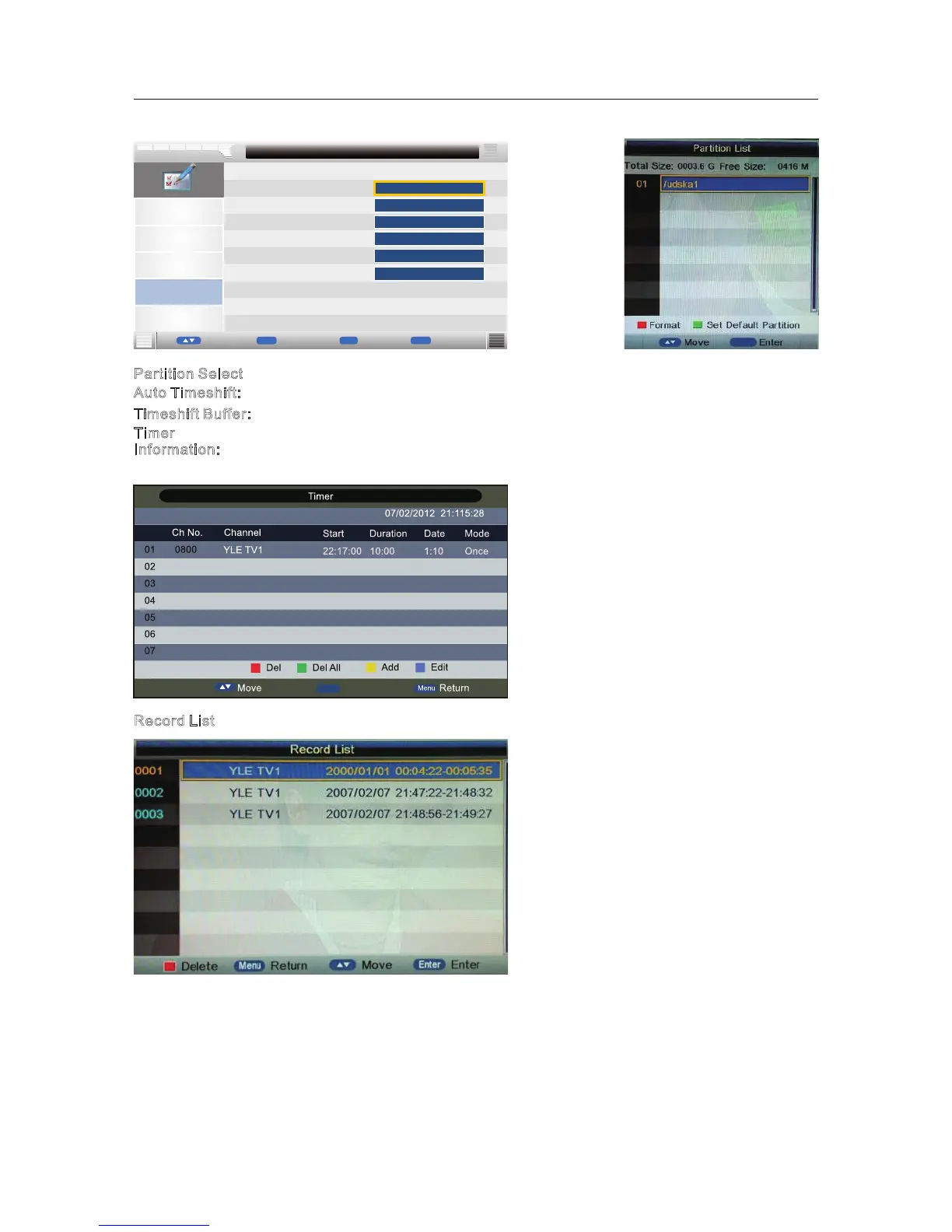
Partition Select
Auto Timeshift
Timeshift Buffer
Feature - PVR/Timeshift
Feature
ENTER
Off
Timer
►
►
►
►
►
Auto
Enter
MENU
Enter
Return
Move
ok
OK
Exit
Exit
Record List
Recorder Start
Enter
Enter
►
Partition Select: Press OK button enter the submenu , then press ▼/▲ button to select partition.
A
uto Timeshift: Select the Auto /Off (Stop auto Timeshift).(Start auto Timeshift)
T
imeshift Buffer: Select the Auto, 30Mins, 1hr or 2hr.
R
ecord List
Timer
Information: Timer menu manages the preengaged programs, user can add delete preengaged
programs in this menu.
Press OK button to enter the record list menu.
Press red button to delete any program.
Press Info button to display program information.
OK
Exit
Exit



 To Next Page