TEST AND ADJUSTMENTS
49TPI10EN04
19
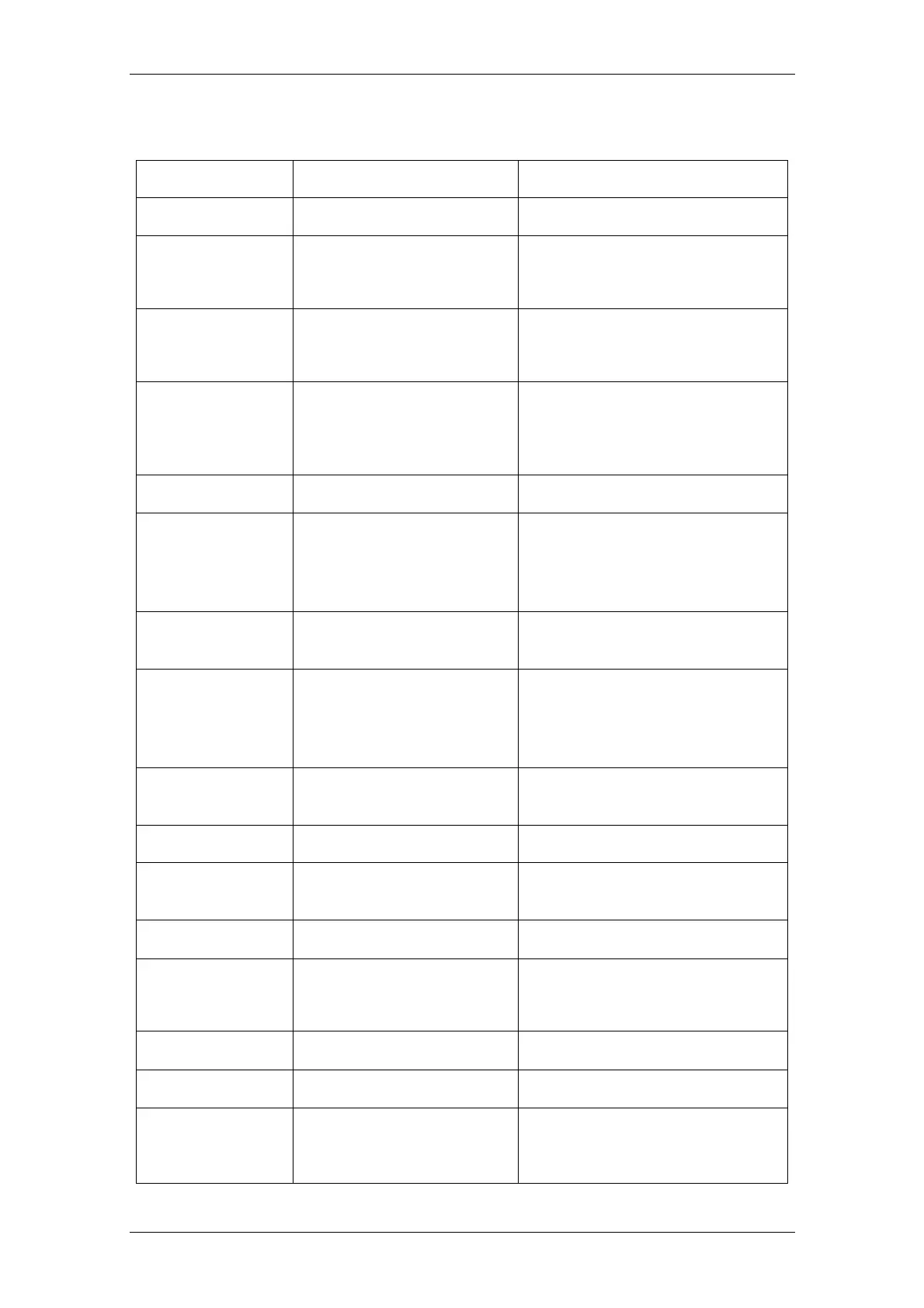
10. ERROR CODES
ERROR MESSAGE DESCRIPTION SOLUTION
-----
Maximum load exceeded Unload or reduce weight
ERR 1
Incorrect date
Enter the date by using format
“yy;mm:dd”
ERR 2
Incorrect time
Enter the time by using format
“hh:mm:ss”
ERR 4
Zero setting error
Zero setting range exceeded due to
switching on.(4%max)
Make sure that the platform is empty.
ERR 5
Key board error Check the keys and connector.
ERR 6
A/d value out of range
Make sure that the platform is empty
and check if the pan is installed
properly. Check the load cell
connectors.
ERR 7
Percentage error
Value should be (0.01% of the weight
> 0.5d)
ERR 9
Unstable reading
Check any air variation, vibration, RF
noise and if anything is touching
somewhere. Check the load cell and
connectors.
ERR 10
Communication error
No data (RS-232, continuous
communication)
ERR 15
Enter gravity error Gravity range (0.9~1.0)
ERR 17
Tare out of range
Remove the load and restart the
scale again.
ERR19
Initialize zero error Calibration the scale.
--OL--
Over range
Remove the load.
Recalibrate
FAI L H / FAI L L
Calibration error Recalibrate
ERR P
Printer error Check the printer and settings
BA LO /
LO BA
Battery low
Charge the battery, check the
voltages.


 To Next Page