measurement
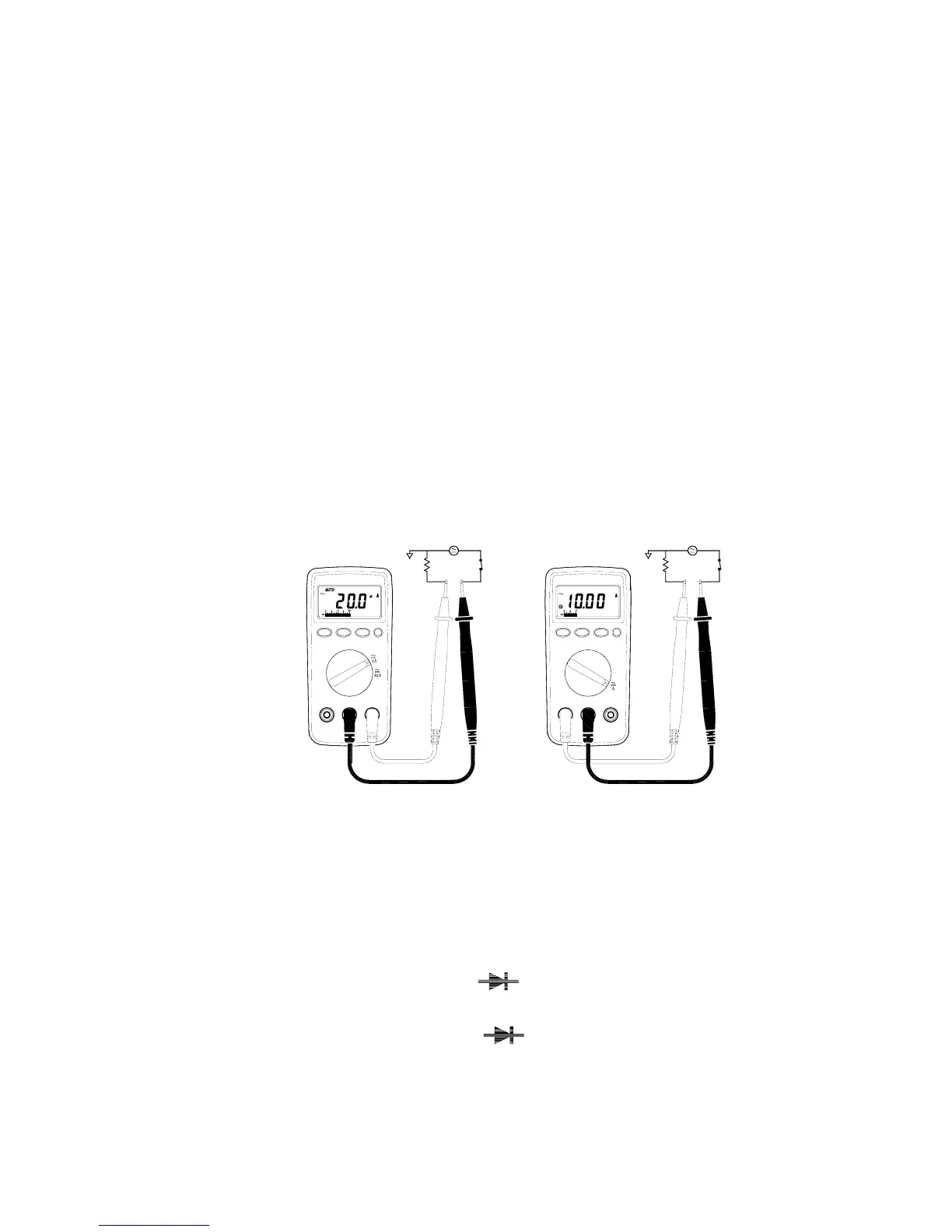
2-2-4 AC/DC Current Measurements
WARNING!
To avoid injury, do not attempt a current measurement if the
open circuit voltage exceeds the rate voltage of the meter.
⊇ Connect red test lead to the “mA / uA ”jack for Current measurements
up to 400mA.( For measuring Current between 400mA to 10A ,
Connect red test lead to “ 10 A ” jack ) Connect black test lead
to“ COM ” jack.
⊄ Set Range selector Switch to desired A range and press DC/AC
button to select AC/DC function.
⊂ Cut the power to the circuit to be tested and Connect the instrument
IN SERIES with the circuit with the black test lead on the negative
“ - ”side and the red lead on the positive “ + ”side being measured.
⊆ Apply power and read the ampere value on LCD.
2-2-5 Diode Tests
WARNING!
Before taking any in-circuit measurement ,remove power from
the circuit being tested and discharge all capacitors in the
circuit.
⊇ Connect red test lead to “
”jack and black test lead to
“COM ” jack.
⊄ Set Range selector Switch to “
” range.


 To Next Page