10
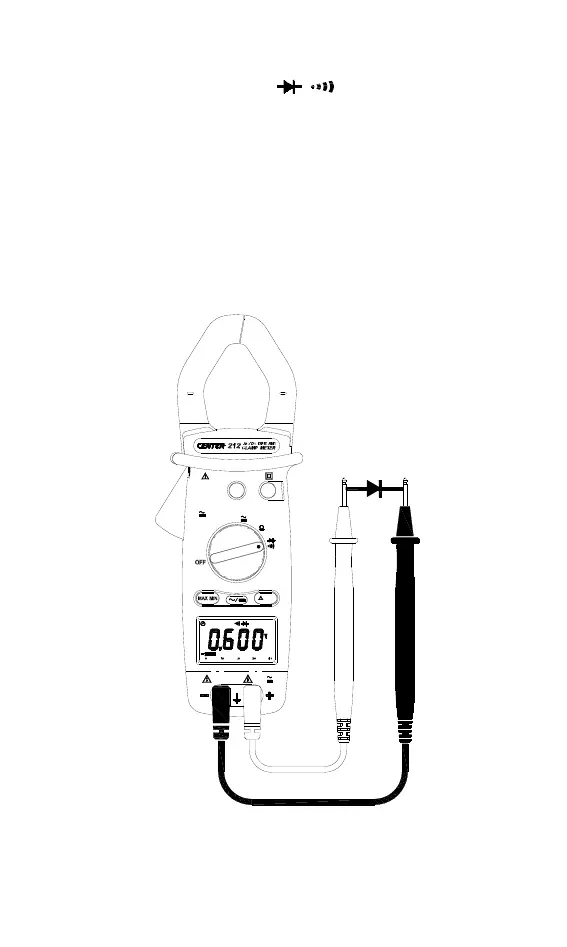
Diode Test:
Switch the main function to ”
” range, check the power
line is disconnected from the system.
Connect red test lead to “+” terminal and black one to the “ COM ”
terminal.
Connect tips of red test lead to the anode side and black test lead to
the cathode side of the diode being tested.
Read forward Voltage (V
f
) value from the LCD panel.
If the polarity of test leads are reversed with diode polarity, the digital
reading show “OL”. This can be used for distinguishing anode and
cathode terminal of a diode.
600
PEAK
V
1000
600
1mS
V
V
III
II
600V
V
CAT
CAT
600
1000
HOLD
IIIVCAT A1000
Hz
V
400
A
1000
40
REL


 To Next Page