Need help?
Do you have a question about the Center 232 and is the answer not in the manual?
Operating and storage conditions, pollution degree, and altitude limits.
Meanings of safety, operational, and warning symbols used in the manual.
Overall display, range, polarity, overload, sample rate, battery life, dimensions, and accessories.
Detailed AC/DC voltage, current, resistance, and power measurement parameters with accuracy.
Explains the meaning of various icons and indicators shown on the meter's display.
Identifies and locates all physical components and controls of the clamp meter.
Procedures for performing ACA (AC Amps) and DCA (DC Amps) measurements.
Steps for measuring ACV (AC Volts) and DCV (DC Volts).
How to perform resistance measurements and continuity checks with beeper feedback.
Method for measuring AC/DC power (Wattage) using the clamp meter.
Explains Data Hold and Peak Hold functions for capturing readings.
Details on using the backlight and zeroing the meter for accurate measurements.
Warnings, cautions for use, and instructions for cleaning the instrument.
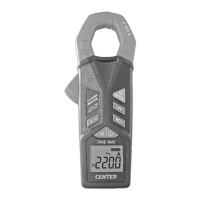
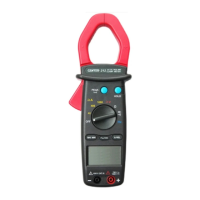
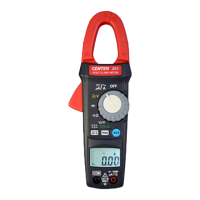
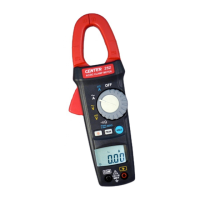
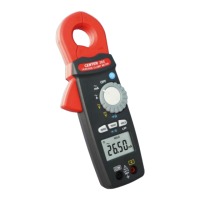
The CENTER 232 Clamp Meter is a versatile instrument designed for electrical measurements, offering a range of functions for both AC and DC systems. It is a handheld device, characterized by its clamp design, which allows for non-invasive current measurement.
The primary function of the CENTER 232 is to measure current, voltage, resistance, continuity, and power (Watt). It is an AC/DC True RMS clamp meter, meaning it can accurately measure both alternating current/voltage and direct current/voltage, and its True RMS capability ensures accurate readings even for non-sinusoidal waveforms.
For current measurement, the device supports both AC (ACA) and DC (DCA) current ranges. To measure current, the user opens the clamp by pressing the jaw-opening handle and inserts the cable to be measured into the jaw. For DC current, a "ZERO" button is available to null the reading before measurement, ensuring accuracy.
Voltage measurement is possible for both AC (ACV) and DC (DCV) ranges. This involves connecting the red test lead to the "+" terminal and the black test lead to the "COM" terminal, then touching the test lead tips to the circuit where the voltage is to be measured.
The meter also performs resistance measurement and continuity tests. For these functions, the power line of the system must be disconnected. The test leads are connected to the "+" and "COM" terminals, and their tips are applied to the points where resistance is needed. If the resistance is below 100 Ω, a beeper will sound, indicating continuity.
Power measurement (KW) is another key feature. Similar to current measurement, the clamp is opened and the cable inserted, while test leads are connected to measure voltage, allowing the device to calculate and display the power.
The CENTER 232 is designed with several features to enhance usability and accuracy:
Proper maintenance is crucial for the longevity and accuracy of the CENTER 232:
 General
| Resolution | 0.1°C / 0.1°F |
|---|---|
| Temperature range | -50°C to 1300°C |
| Thermocouple type | K |
| Sampling rate | 2.5 times per second |
| Operating temperature | 0°C to 50°C |
| Operating humidity | 10% to 90% RH (non-condensing) |
| Storage humidity | 10% to 90% RH (non-condensing) |
| Measurement Range | -50°C to 1300°C (-58°F to 2372°F) |
| Accuracy | ±0.3% rdg + 1°C / ±0.3% rdg + 2°F |


 To Next Page